Wellows
AI search visibility, designed end to end.

Find the answers you’re missing, then get cited in them.
Wellows helps brands and agencies see whether they are surfaced or cited in AI-generated answers, find the gaps against competitors, and act on prioritised fixes.

A case study in three products, one design system and one designer.
Discovery is moving from search results to AI answers.
People increasingly ask ChatGPT, Perplexity, Gemini and Google’s AI modes instead of scanning ten blue links. A brand that isn’t cited in those answers is invisible — and traditional SEO tools can’t tell you why.
 ChatGPT
 Perplexity
 Gemini
 Google AI Overview
 Google AI Mode
 Claude
Brands can see they’re missing — but not why, or what to do next.
- 01No reliable view of citation share by platformEach model answers differently; nothing showed where a brand stood across all of them.
- 02No way to tell explicit mentions from implicit citationsBeing named in an answer and having your domain cited are different problems with different fixes.
- 03Insight and action live in different toolsAnalytics in one place, content and outreach in another — context lost at every hand-off.
Visibility intelligence wired directly to prioritised action.
loop
How do you make a technically dense product feel immediately readable to people whose comfort zone is traditional SEO dashboards — without simply building another one?
One designer, the whole surface.
From the logo to the last empty state, every screen in this case study was designed by me — working inside a product team that owned strategy, data and engineering.
What I owned
- Brand identity & logoBrandmark, wordmark, colour, type and the glow language in onboarding
- User flows & information architectureOnboarding → overview → opportunities → action → reports
- Wireframes & prototypesLow-fidelity explorations through to clickable prototypes for review
- UI design system & every product screenAcross CITA, KIVA and OPTA — components, patterns, states
- Iteration from stakeholder testingModerated prototype tests, demos and informal reviews
Worked with the team on
- Product strategy & roadmapProduct Manager
- Data model & scoring logicVisibility score, citation share, sentiment
- Engineering & QAImplementation and release
- Customer research & go-to-marketPositioning, pricing, published results
Three agents, one workflow.
Wellows is organised as three agents that share a project, a brand context and a design system — so a gap found in one becomes an action in another.
- Visibility score
- Citation share
- Sentiment
- Tracked queries
- Opportunities
- Monitoring
- History
- Reports
- Insight-led briefs
- Generation
- Scoring
- AI detection
- Optimisation
- Internal linking
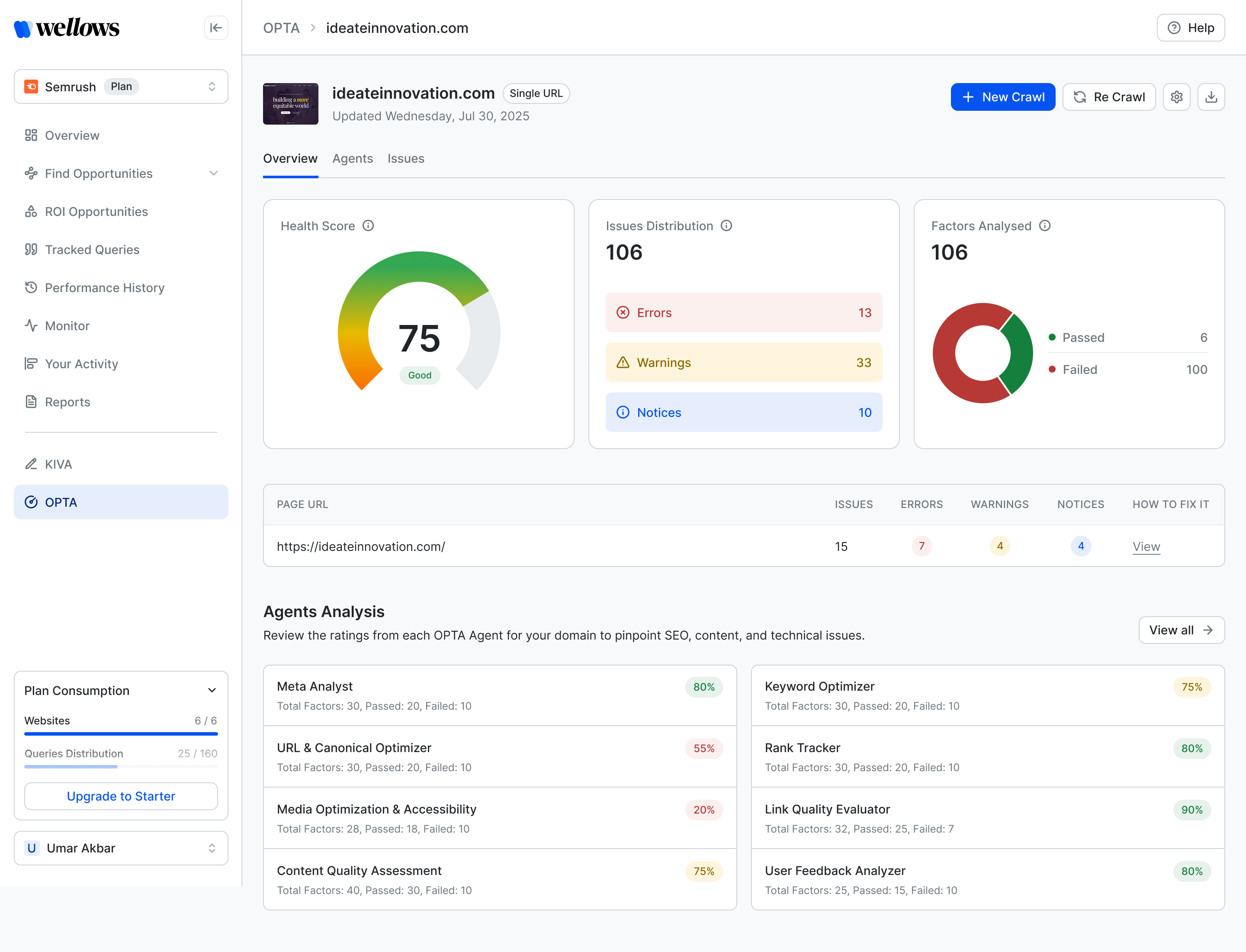
- Single URL
- Sitemap
- Bulk crawl
- Agents
- Pages
- Issues
- Brands
- Agencies
- Startups
- Freelancers
- Consultants
- SEO & content teams
Feedback arrived in two tiers.
Beta testers in our Slack community used the product daily and said what confused them, in their own words. Stakeholders then reviewed the same ground in moderated tests and demos. Six findings survived both and drove the design.
Real users first, stakeholders second. The Slack room is where confusion showed up unprompted — the signal we could not have written a script for.
From sign-up to cited in one loop.
Every screen sits on a single path: set up once, see where you stand, find the gap, act on it, prove it moved. Then the loop starts again with fresh data.
- 1OnboardAI-assisted setup that shows value before asking for detail.
- Brand or agency
- Competitors
- Topics & queries
- Platforms
Onboarding - 2OverviewOne number to open with, then the breakdown.
- Visibility score
- Citation share
- Sentiment
CITA - 3Tracked queriesEvery prompt, every response, every source.
- Responses
- Citations
- Mention type
CITA - 4OpportunitiesTwo kinds of missing, ranked.
- Explicit
- Implicit
- Insights
CITA - 5ActFix it without leaving the workspace.
- KIVA content
- Outreach
- OPTA site fixes
KIVA · OPTA - 6History & reportsProve what moved, share it with clients.
- Date comparison
- Won / lost
- PDF report
CITA
We built the wrong thing first.
Version one was a conversational interface. It worked technically. It failed the user.
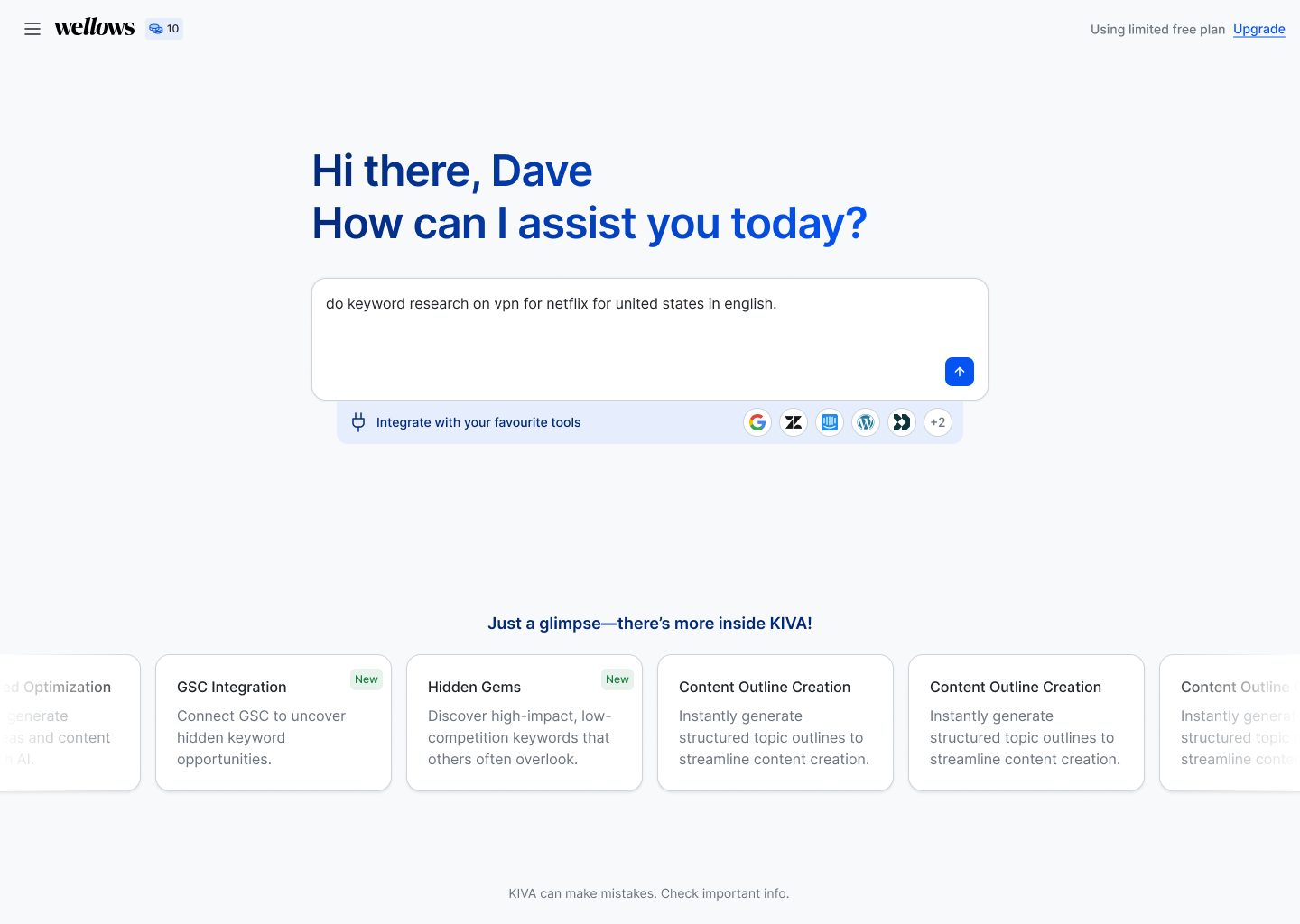
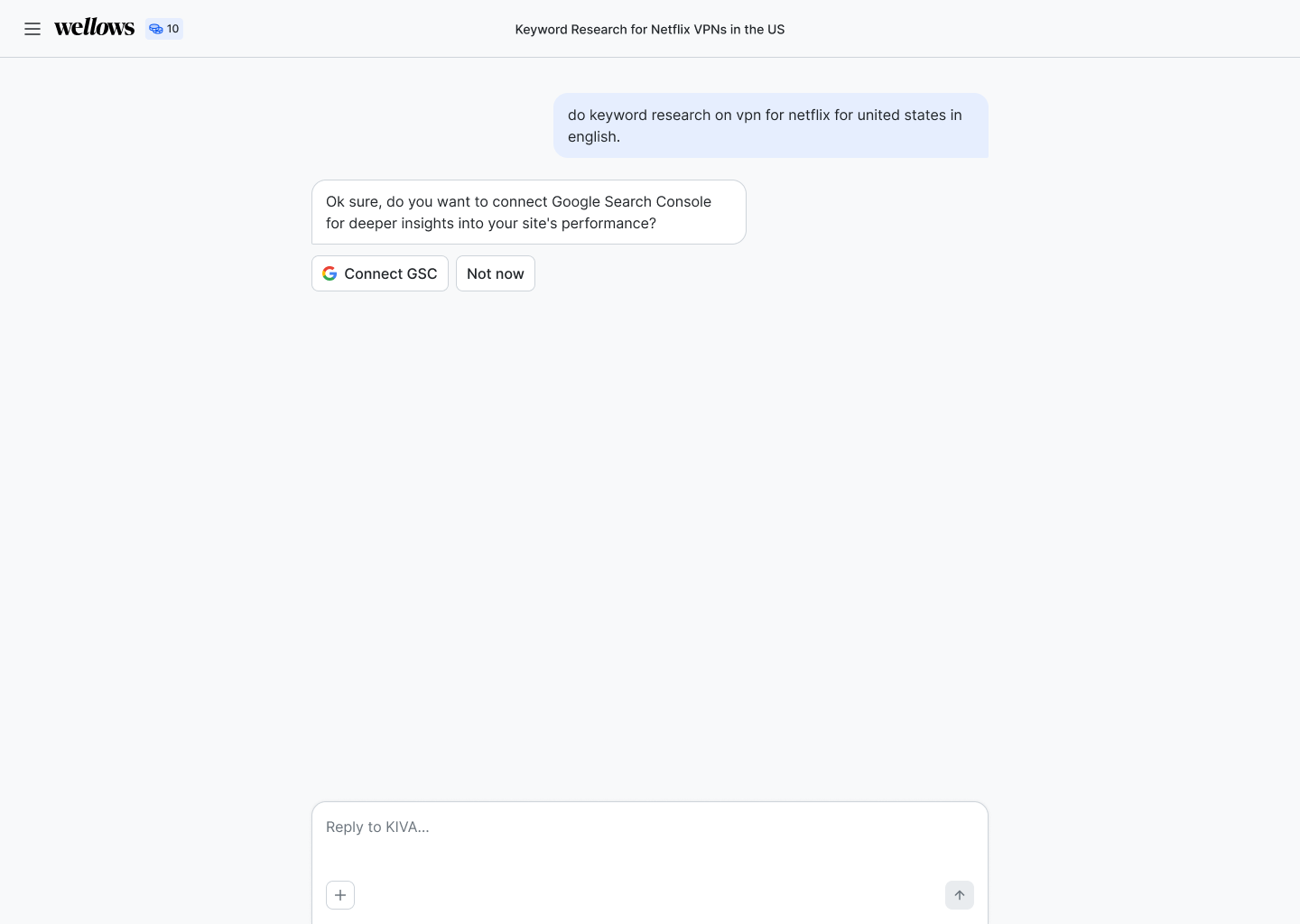
We were asking people to learn a new behaviour inside a tool they needed to trust immediately.
The pattern the Slack beta-tester room kept returning to, in different words, week after week.
Then we rebuilt it as a dashboard.
I made the case to change direction: people in this category navigate by scanning, not by conversing. The rebuild was agreed with the PM and the wider team, and it set the structure everything after this point is built on.
Meet the mental model users already have.
Everyone arriving was already fluent in Semrush and Ahrefs. Borrowing their visual grammar — not their aesthetic — meant users could read the product on day one and spend their attention on what was actually new: AI citation data.
Familiarity is a feature, not a shortcut.
A novel interface would have been the more interesting portfolio piece. It would also have taxed every user with a learning curve in a category they were still trying to understand. Clarity won.
Conversational interface
- Natural-language prompt as the entry point
- Results inline in a chat thread
- No persistent navigation
- Scope of the product invisible
Structured dashboard
- Persistent sidebar, one view per job
- Scannable tables, charts and comparisons
- Filters that hold across the session
- Every module reachable from anywhere
The dashboard is the version that shipped — and every screen in the rest of this case study sits inside the structure that decision created.
Recommending the rebuild was the most consequential call I made on this project. It needed the Slack signal to prove the problem, competitor study to show where the category was heading, and a clear enough case that the team agreed to spend the time.
Getting the first fold right before anything else.
The first-fold cards went through many variants — score, rank, per-LLM breakdown, sentiment — until the hierarchy read at a glance.
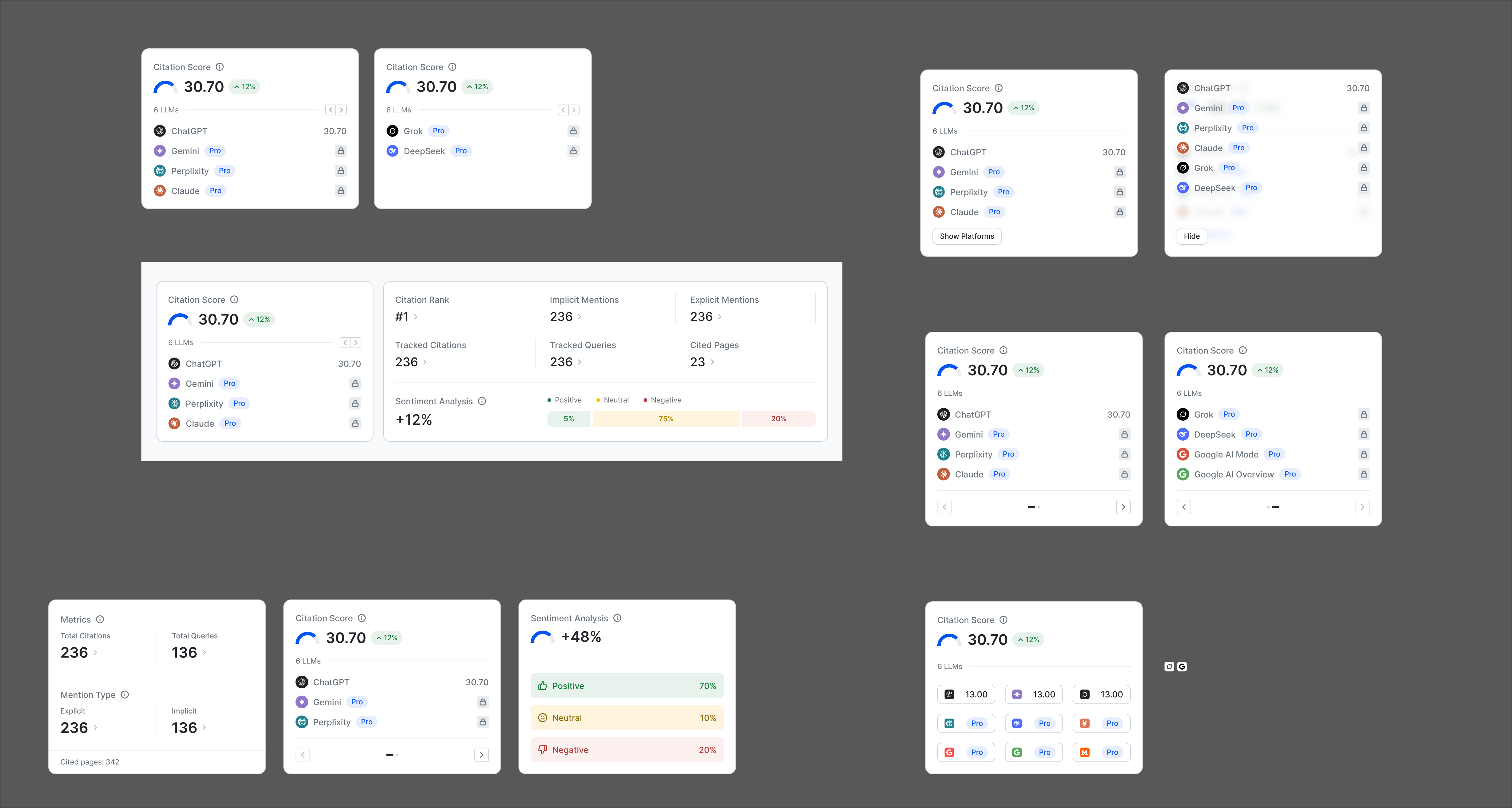
← Swipe to see the whole board →
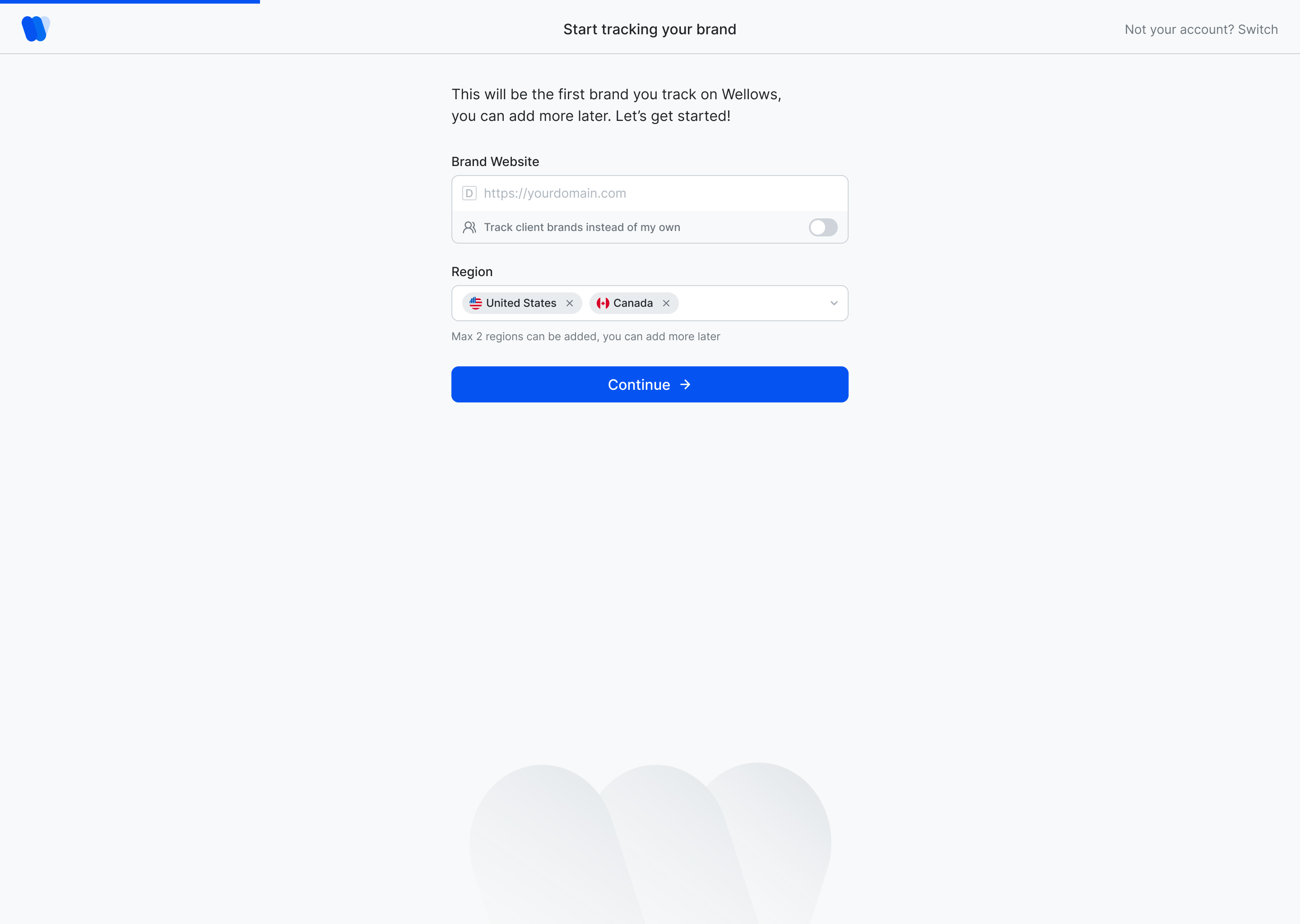
What the early rounds settled
- 01One score leads, everything else supports itRank, per-platform share and sentiment became secondary tiles instead of competing headlines.
- 02Platform rows need a status, not just a numberPro badges and mention states made the per-LLM list scannable.
- 03Setup should feel like one questionThe v1 “Start tracking” form was the seed of the later AI-assisted onboarding.
Two screens, before and after stakeholder rounds.
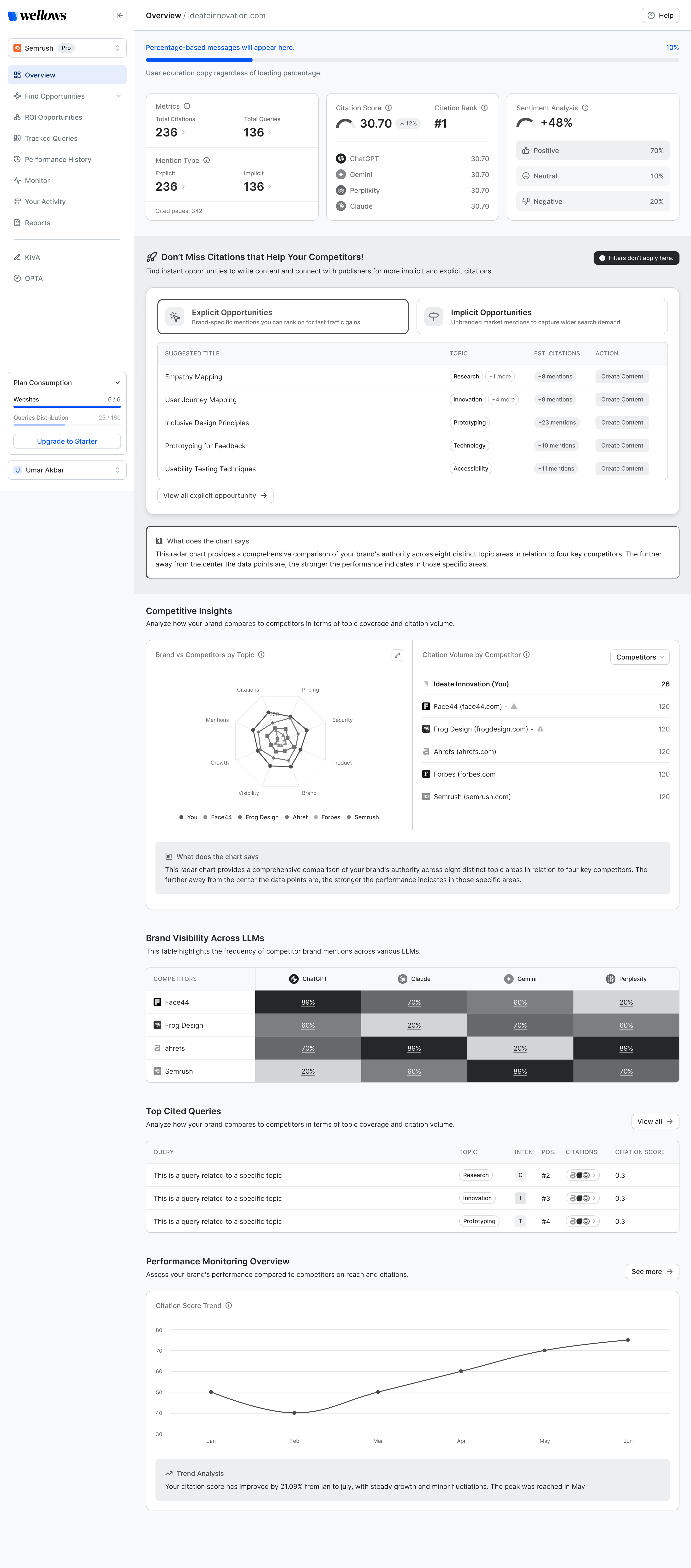
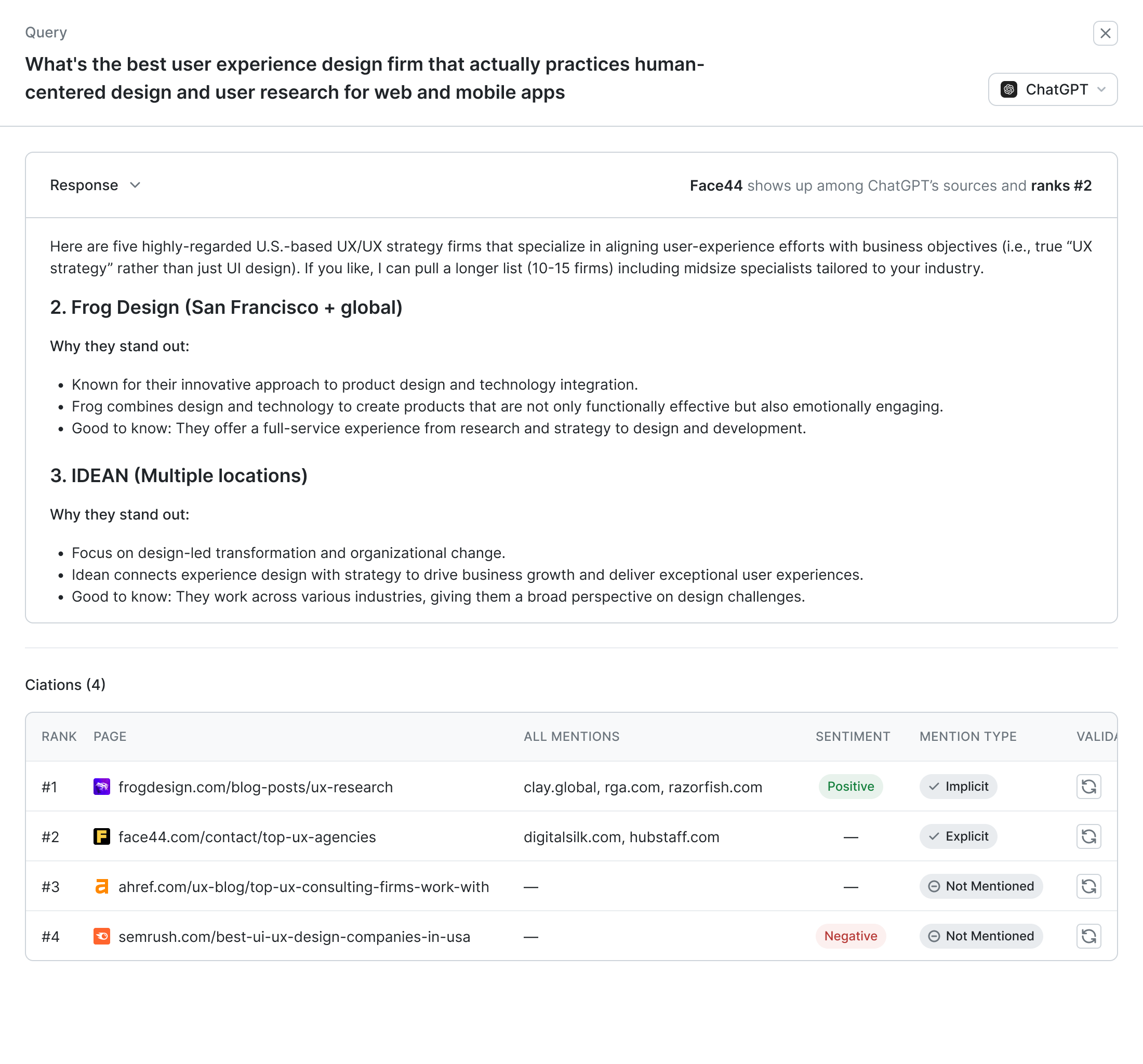
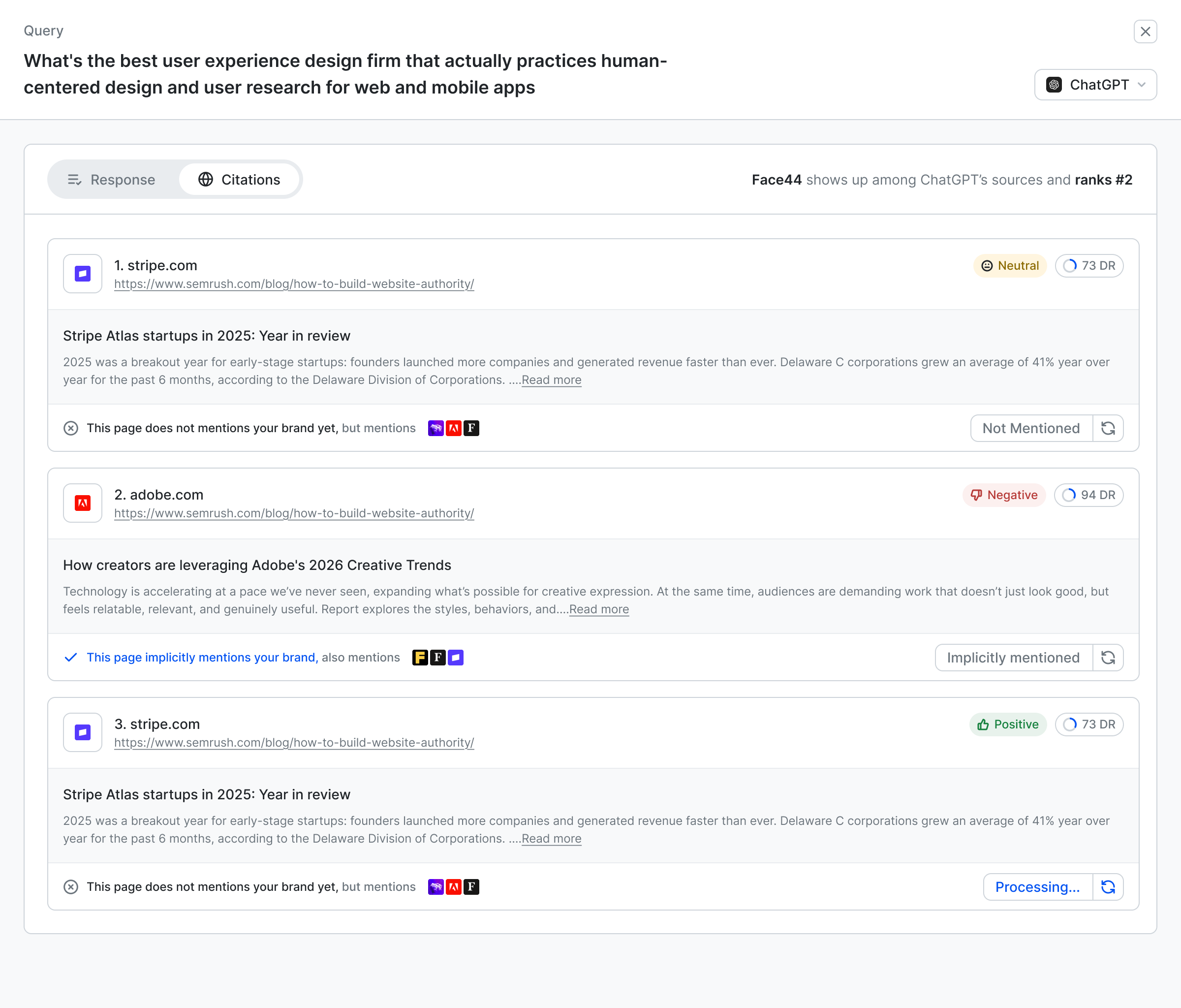
Shown at the same size, because the point is what moved — not how good the later screen looks next to a thumbnail.
From metric tiles to one score.
Six tiles all claimed the first fold. Stakeholders read the page top-left to bottom-right looking for a verdict and never found one.
From one long answer to annotated sources.
The response and its citations were one scroll, so nobody could tell which source did the work or whether the brand appeared in it.
Four rules every screen had to pass.
Written after the first rounds of Slack and stakeholder feedback, then used as the review checklist for everything that followed.
Insight → action.
Every metric points to a next step. If a number can’t be acted on from where it sits, it doesn’t belong in the first fold.
Explain the metric.
Definitions, coachmarks and examples live next to the number — not in a help centre.
Value before setup.
AI-assisted onboarding shows the brand’s position first and asks for detail later.
One context, many workflows.
Persistent project, breadcrumbs and linked states carry the same brand across CITA, KIVA and OPTA.
How the work actually got done.
Designing one product over three years is not a project with an end. The loop below ran continuously for the whole of it.
- 01
Signal
Slack beta-tester feedback on what shipped last, plus a study of how adjacent tools — Semrush, Ahrefs, SpyFu and the GEO-native entrants — solve the same problem.
- 02
Structure
Every new module starts as a wireframe answering one question: what does the user need to understand, and in what order? For dense screens this step decides everything.
- 03
Build
High fidelity in Figma against the shared system, so a token or component change propagates across the file instead of being re-applied screen by screen.
- 04
Review
Walked through with the PM, where business requirements get stress-tested against the UX. Revisions are annotated in-file so engineering always has the approved version.
- 05
Refine
Ship, watch, adjust. New patterns get folded back into the system, edge cases get resolved, and the loop starts again on the next module.
A screen isn’t finished until every state is drawn.
Handing over only the happy path pushes the hard decisions onto engineering, where they get made in code and never come back. Each screen ships with all five states specified.
The system absorbed the growth.
Ten-plus feature modules were added over three years without the interface fragmenting, because new work was assembled from existing components far more often than it introduced new ones.
A mark for movement between sources.
I designed the Wellows identity from scratch: a two-tone blue ribbon that folds like a “W”, paired with a soft italic wordmark. The mark holds up at favicon size and as a large glow element in onboarding.


One blue, carefully rationed.
The palette is deliberately narrow: a single brand blue with a deep and a light companion, a neutral grey ramp for the interface, and three semantic colours for state.
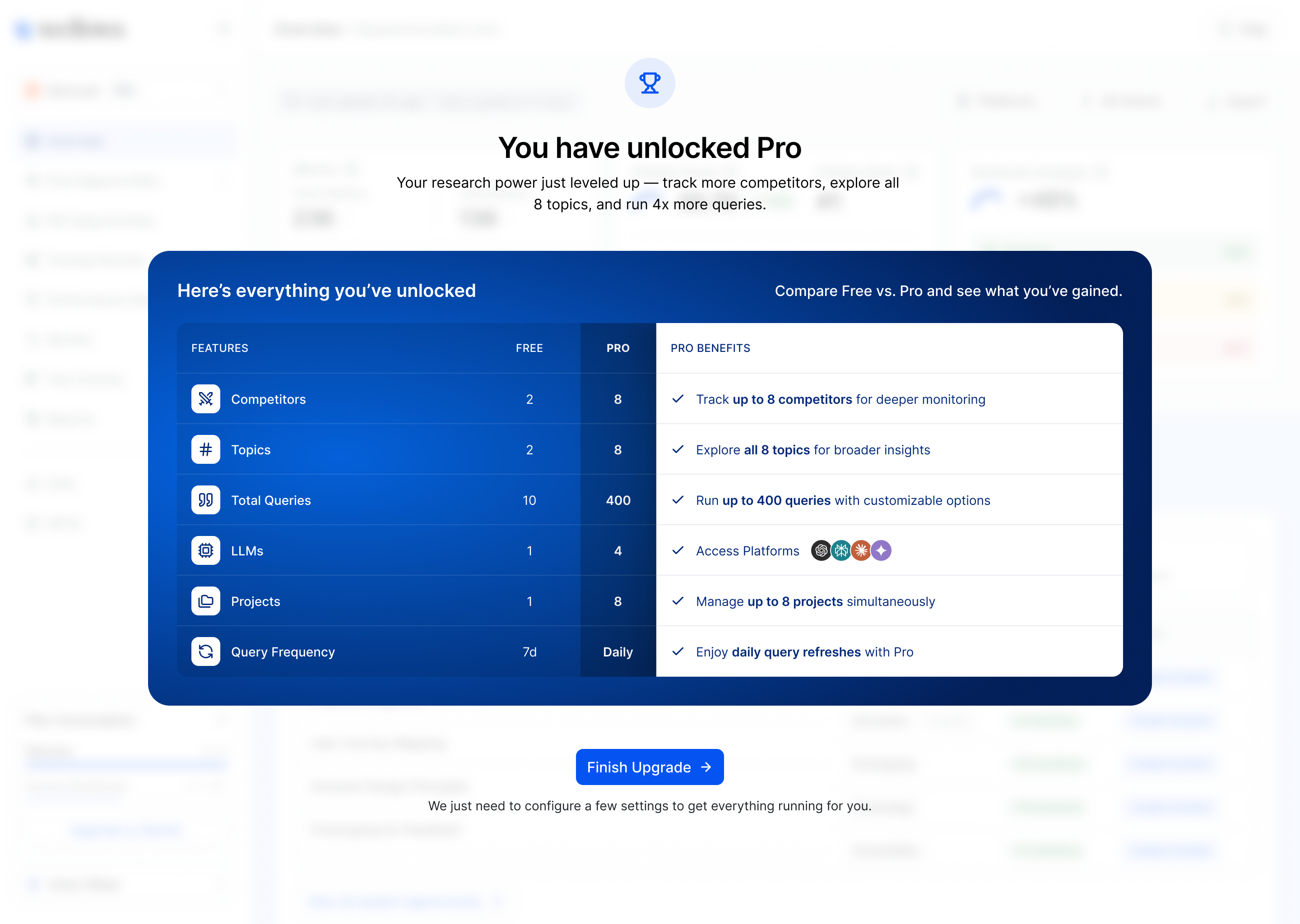
Blue is reserved for primary actions, selection and the score. Everything else stays neutral so data colours — sentiment, platforms, competitors — stay legible on top.
Inter, three weights, tight scale.
An analytics product lives or dies on numbers and labels, so the type system is small, tabular and predictable — and the iconography stays on one stroke weight.
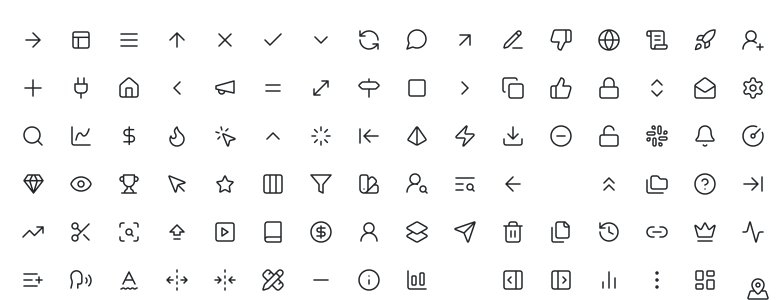


Built to be assembled fast.
One component library serves all three agents. Every pattern below exists as a Figma component with states — built once, then composed into hundreds of screens.
ChatGPT ×Perplexity ×+ Platform| Page | Sentiment | Mention | DR |
|---|---|---|---|
frogdesign.com/blog-posts/ux-research | Positive | Implicit | 94 |
face44.com/contact/top-ux-agencies | Neutral | Explicit | 73 |
semrush.com/best-ui-ux-design-companies | Negative | Not mentioned | 91 |
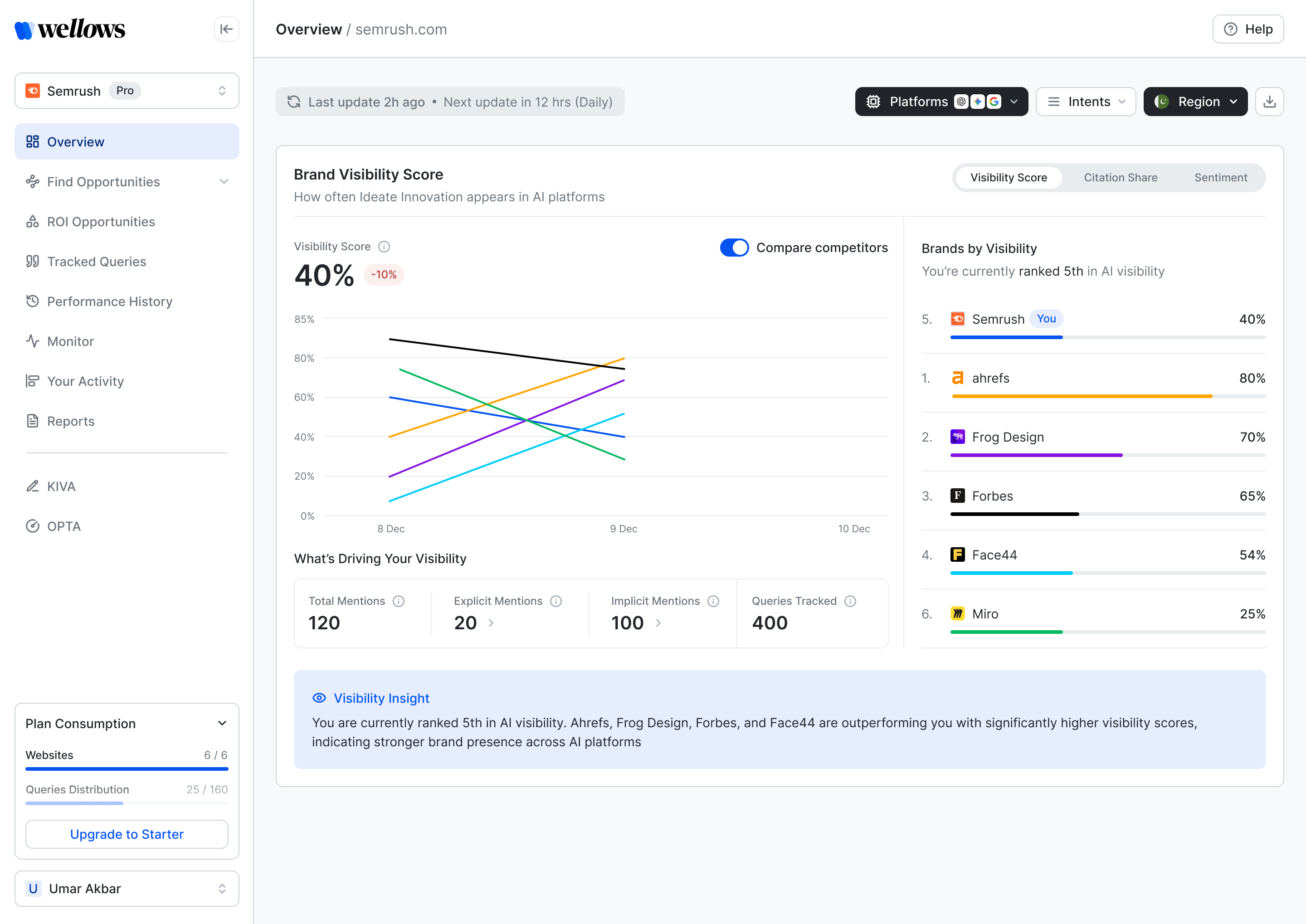
One number to open with.
Visibility Score, competitor ranking and an AI-written insight sit in the first fold. Tabs switch to Citation Share and Sentiment without leaving the page.
- 1Visibility ScoreOne headline number with its trend, and a compare toggle for competitors.
- 2Score · Share · SentimentThree lenses on the same period, switched in place.
- 3Brands by visibilityWhere you rank against tracked competitors, with per-brand bars.
- 4Visibility insightA plain-language read of what changed and who is ahead.
← Swipe to explore the screen →
1
2
3
4
See which model cites you — and which doesn’t.
Citation share and sentiment break down per platform. The compare toggle overlays competitors on the same chart, so a gap on one model is obvious in one glance.
- ChatGPTShare · Sentiment
- PerplexityShare · Sentiment
- GeminiShare · Sentiment
- Google AI Overview · AI ModeShare · Sentiment
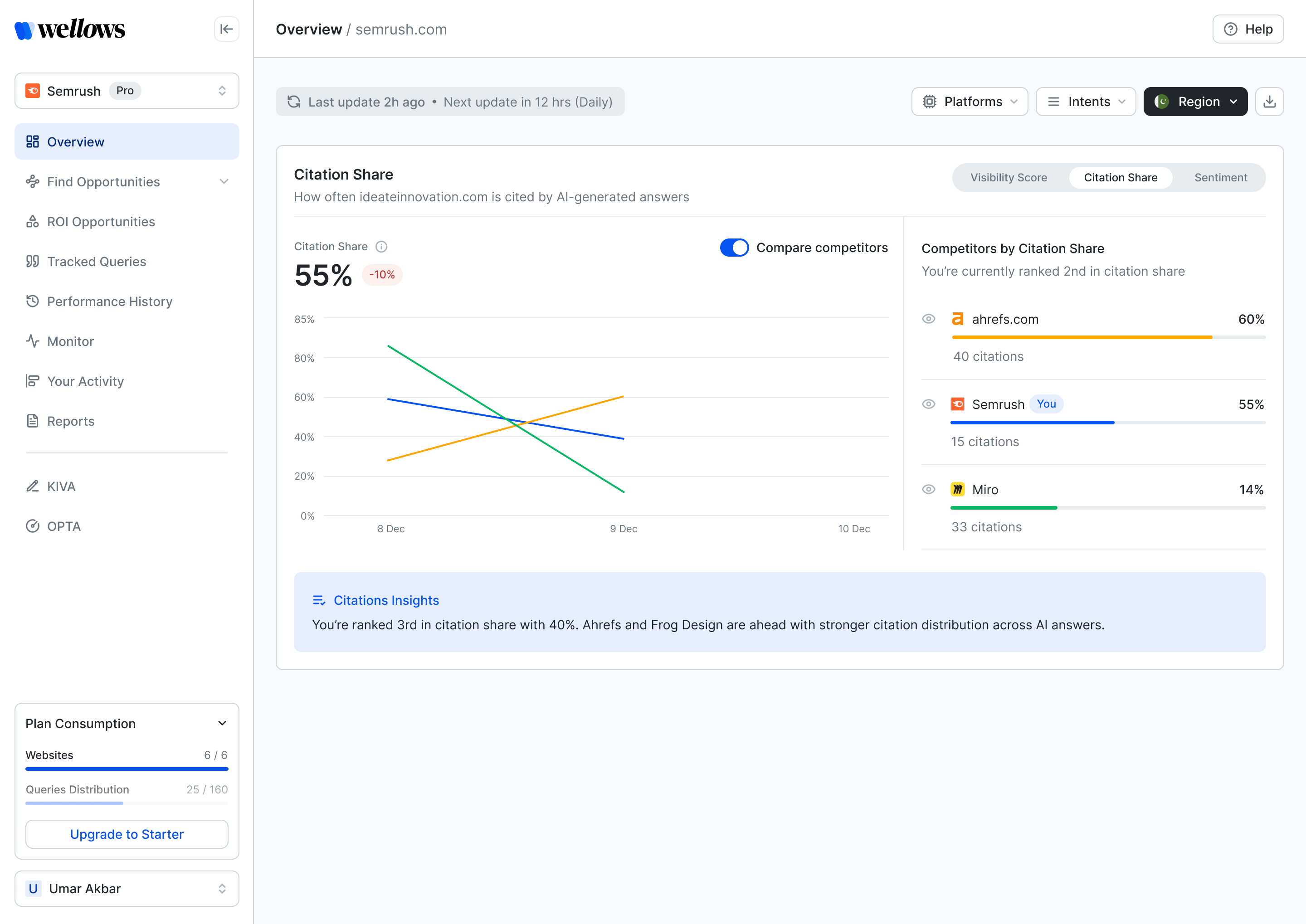 Citation share
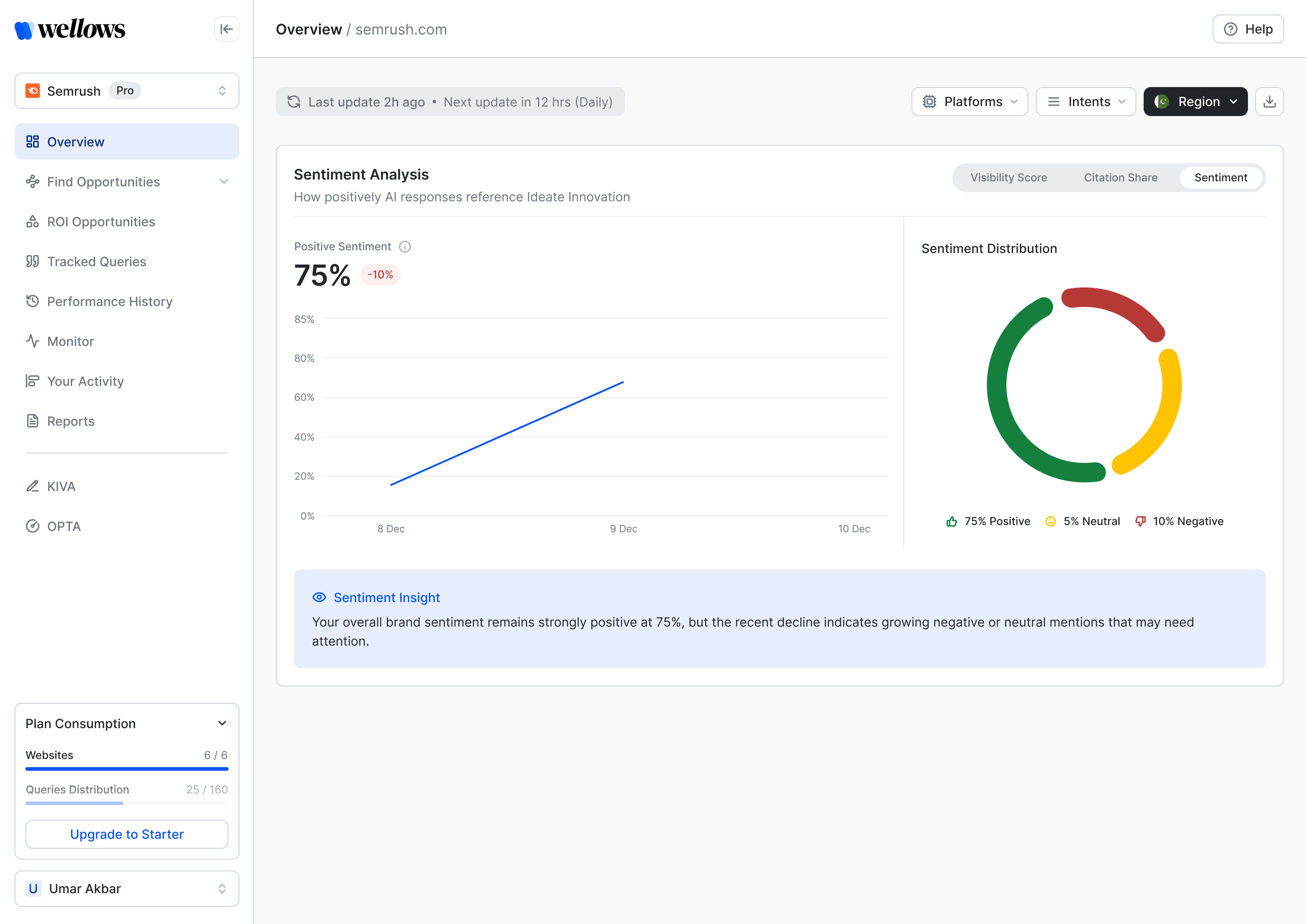 Sentiment
Every tracked prompt, every response, every source.
Queries roll up to sentiment and citation distribution; each response opens into the answer and its cited pages, annotated with mention type, sentiment and domain rating.
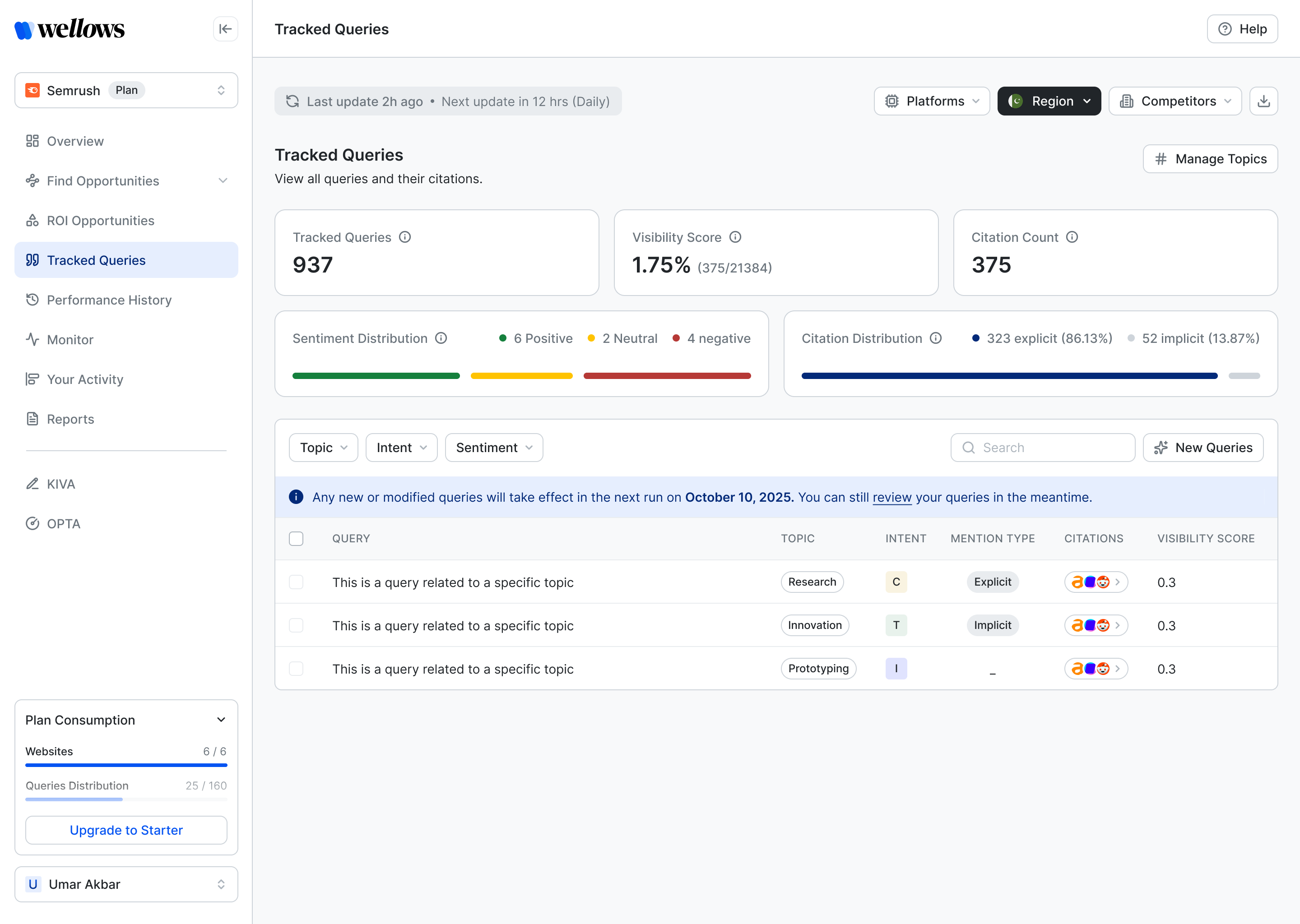
Sentiment, mention type and domain rating sit on each source, so a lost citation can be traced to a page — and a page to an outreach contact.
- ResponseThe answer as the model wrote it
- CitationsEach cited page, ranked
- Mention typeExplicit · implicit · none
- SentimentPositive · neutral · negative
- Domain ratingAuthority of the source
- PlatformSwitch model in place
Two kinds of missing.
Stakeholder sessions kept confusing brand mentions with domain citations. Splitting them into two views — each with its own action — was the single biggest clarity win.
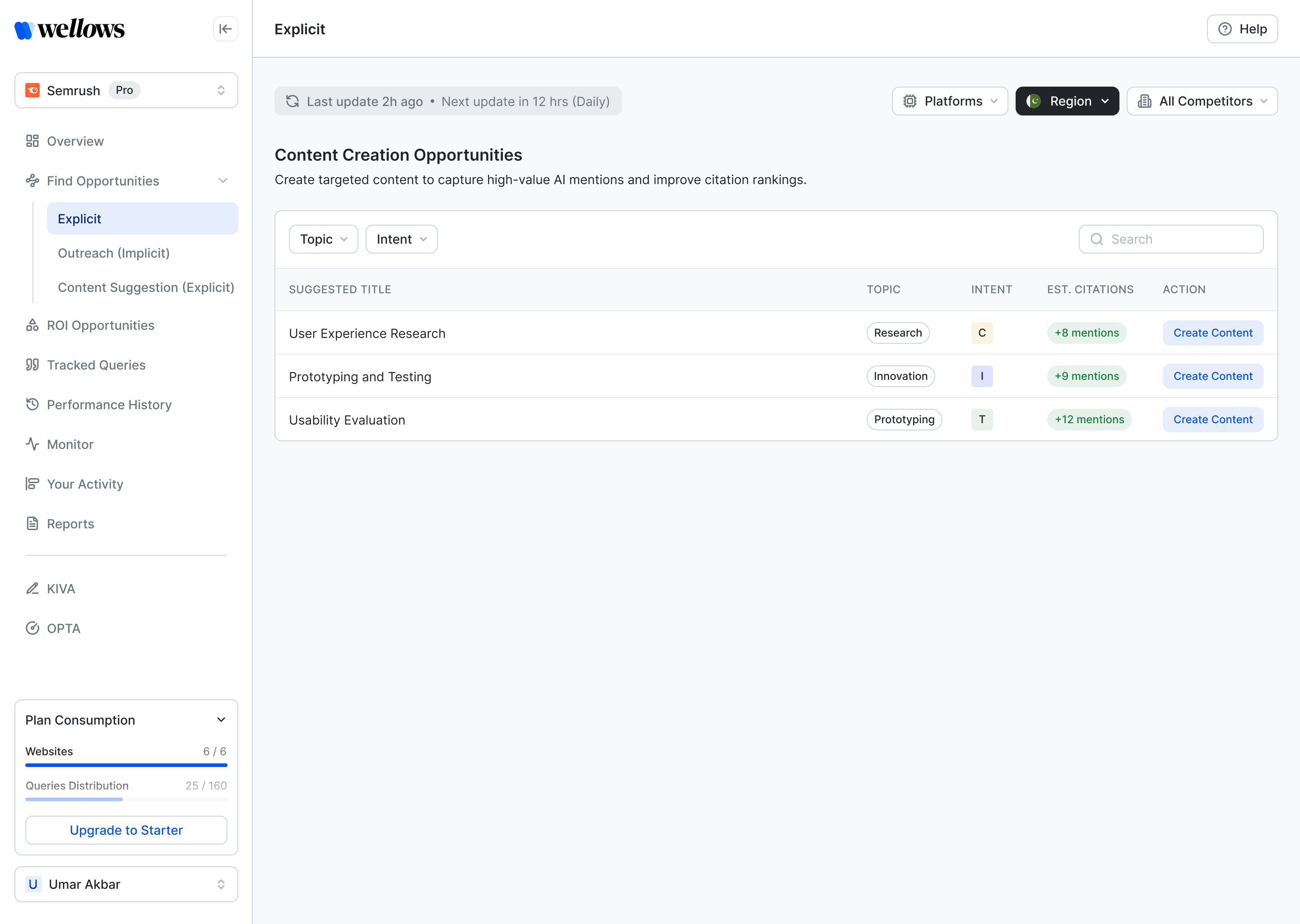
Named in the answer. You aren’t.
Topics where competitors are named in AI responses and your brand isn’t. The fix is content that earns the mention.
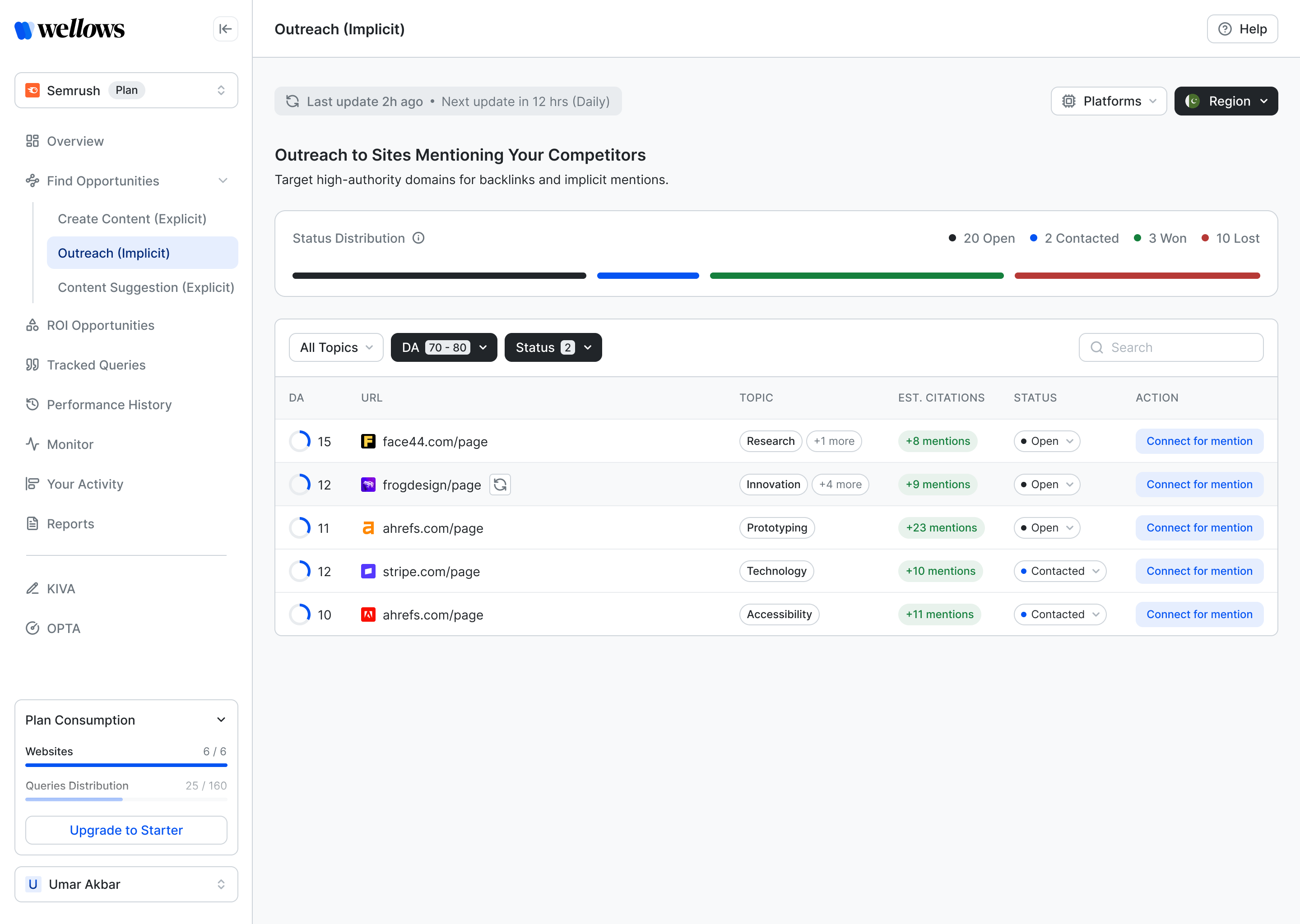
Cited by domain. Competitors’ domains.
Pages that already cite your competitors’ sites. The fix is outreach to earn the citation on the same page.
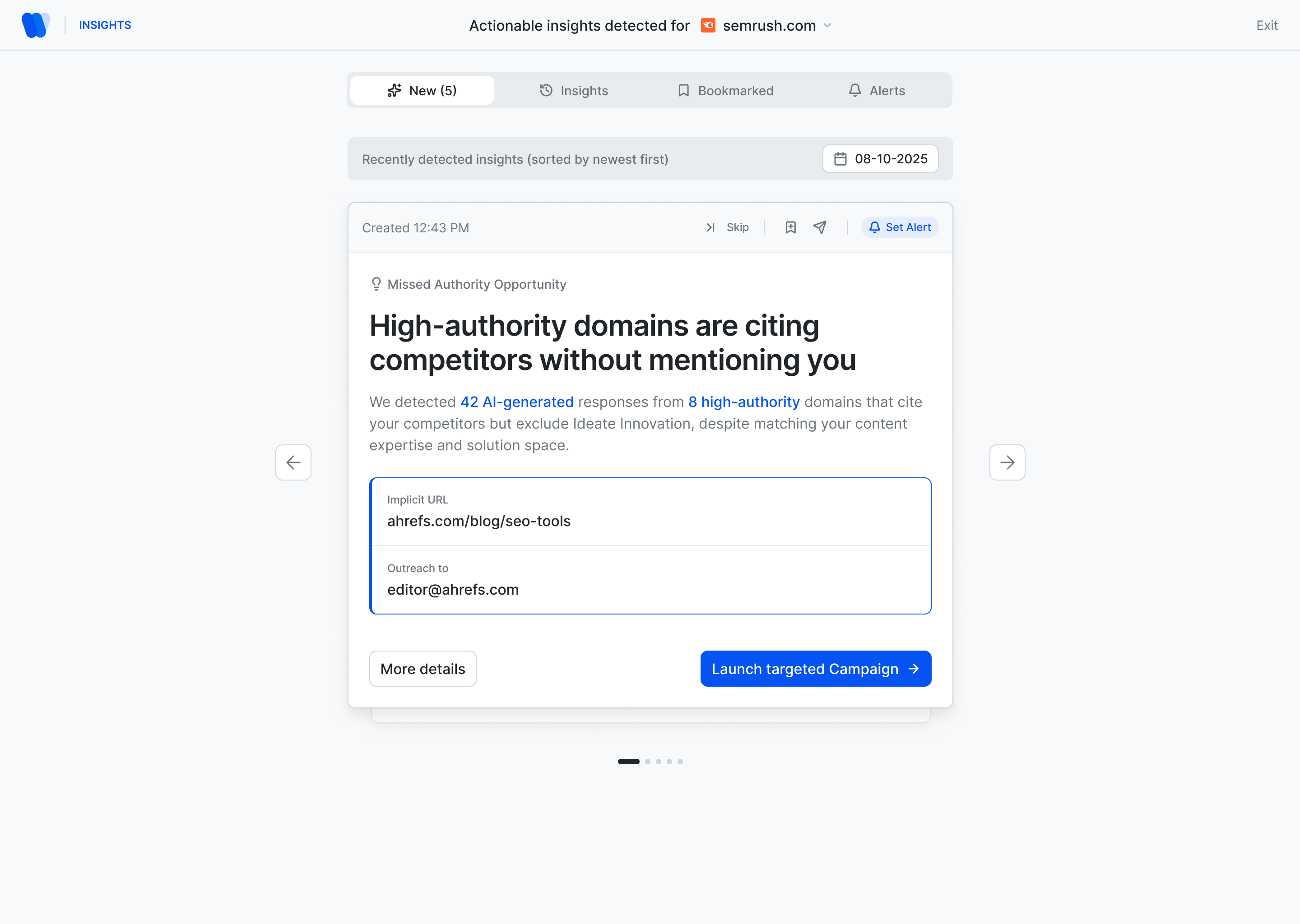
The next best action, delivered daily.
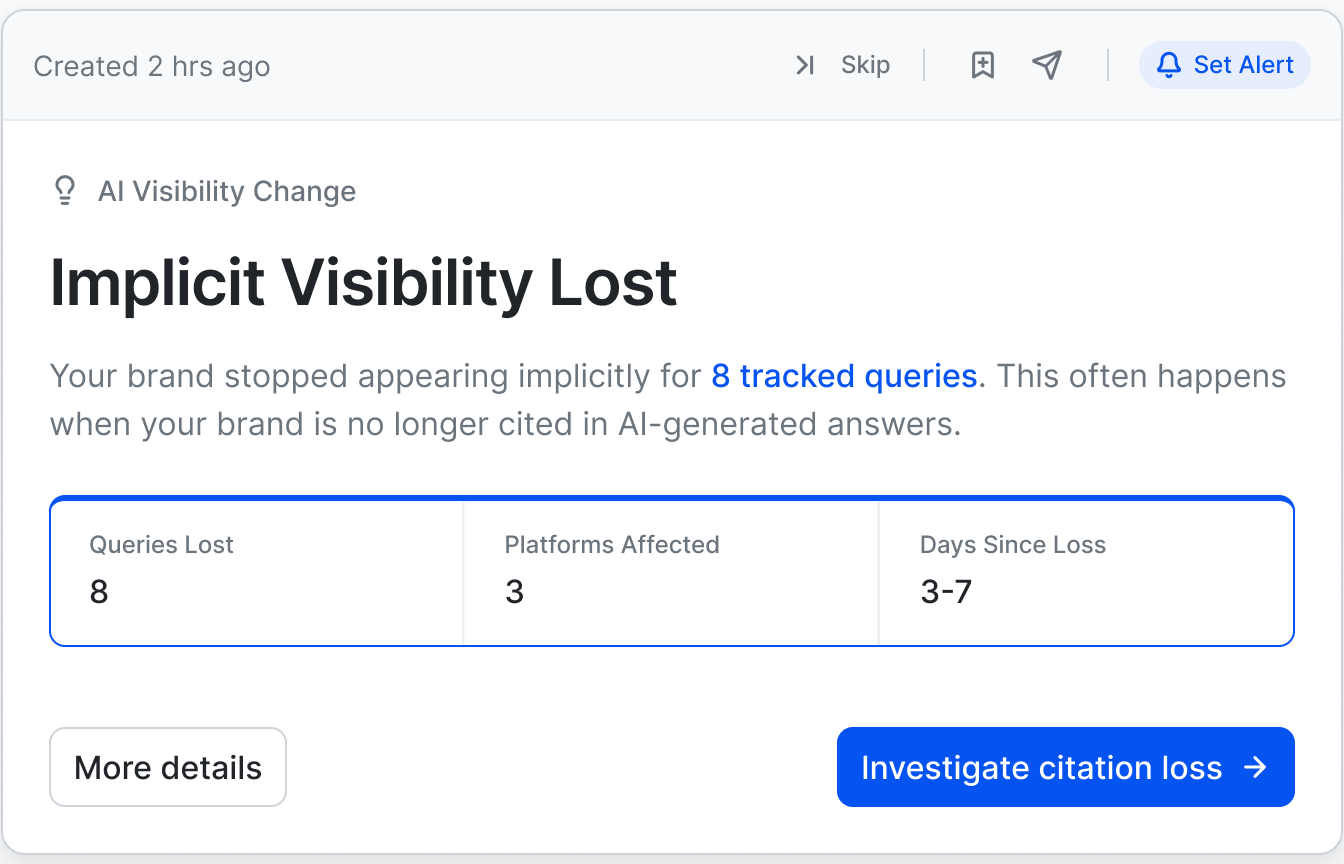
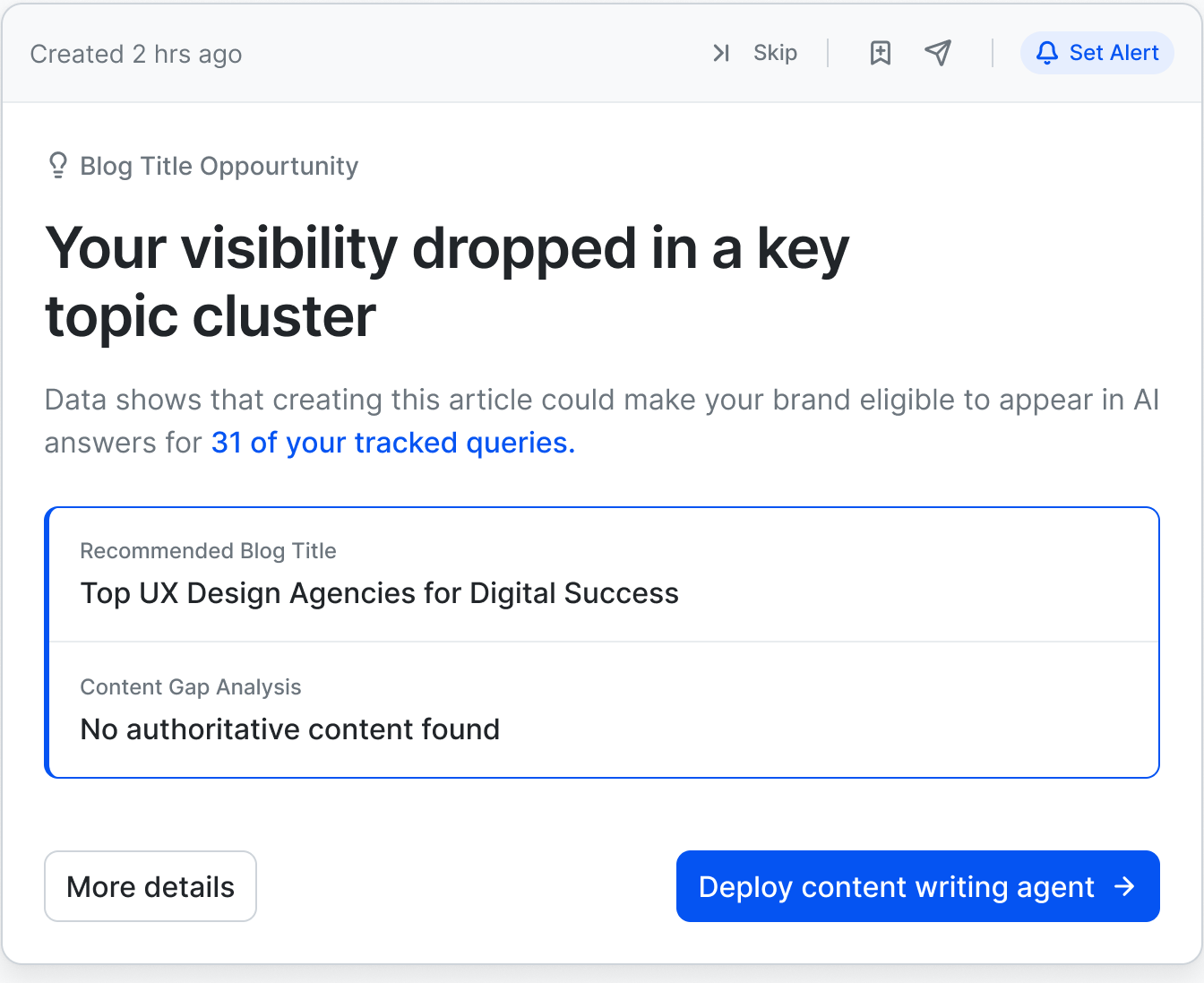
Insight cards turn movement in the data into a single recommended step — with the URL, the contact and the campaign button already attached. Skip it, bookmark it, or set an alert.
- Missed authority opportunity→ Launch campaign
- Blog title opportunity→ Deploy writing agent
- Implicit visibility lost→ Investigate loss
- AI visibility score update→ Full report
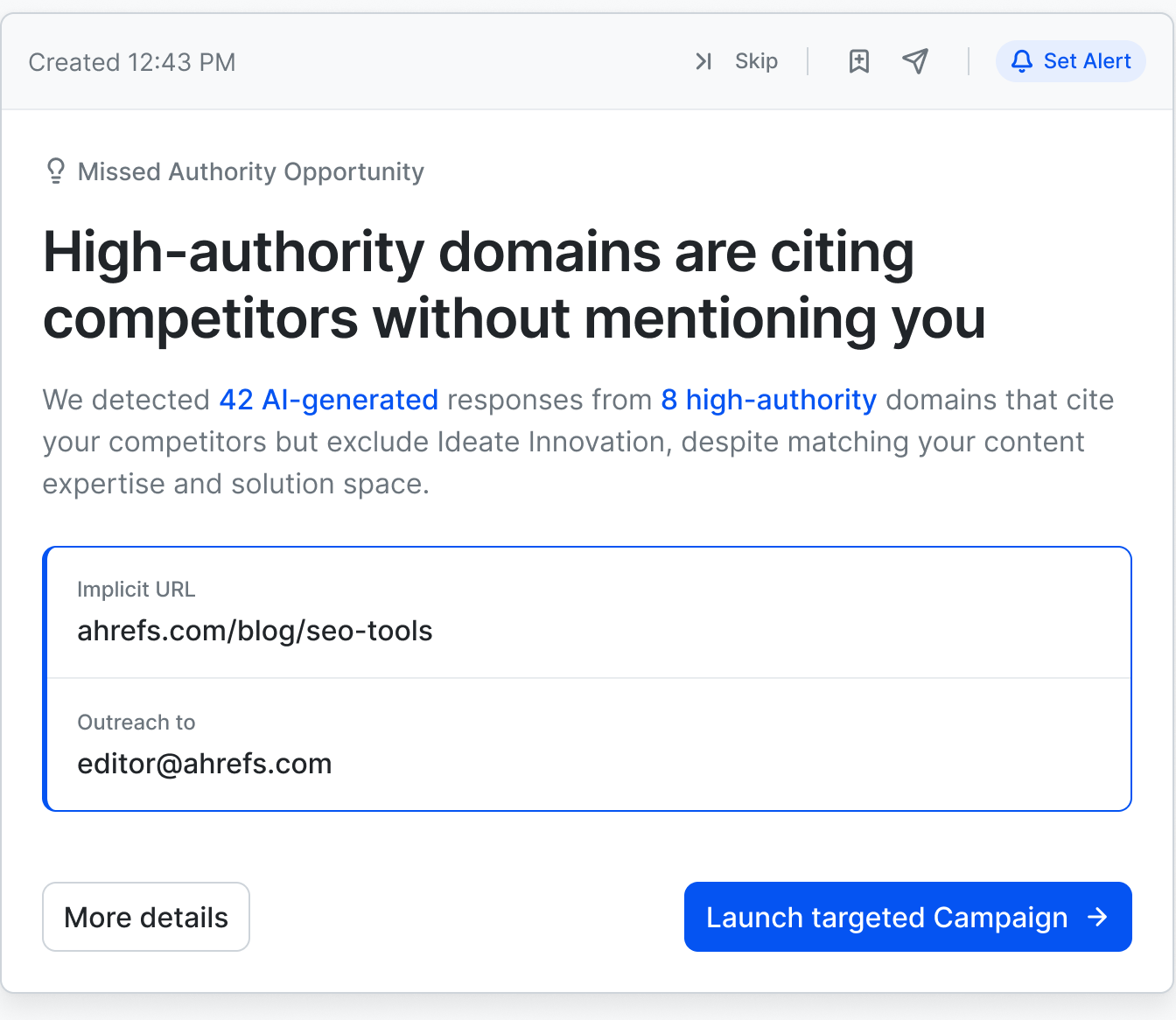
From lost citation to sent email.
Verified contacts, status tracking and a pre-drafted template keep outreach inside the same flow as discovery — no spreadsheet, no copy-paste between tools.
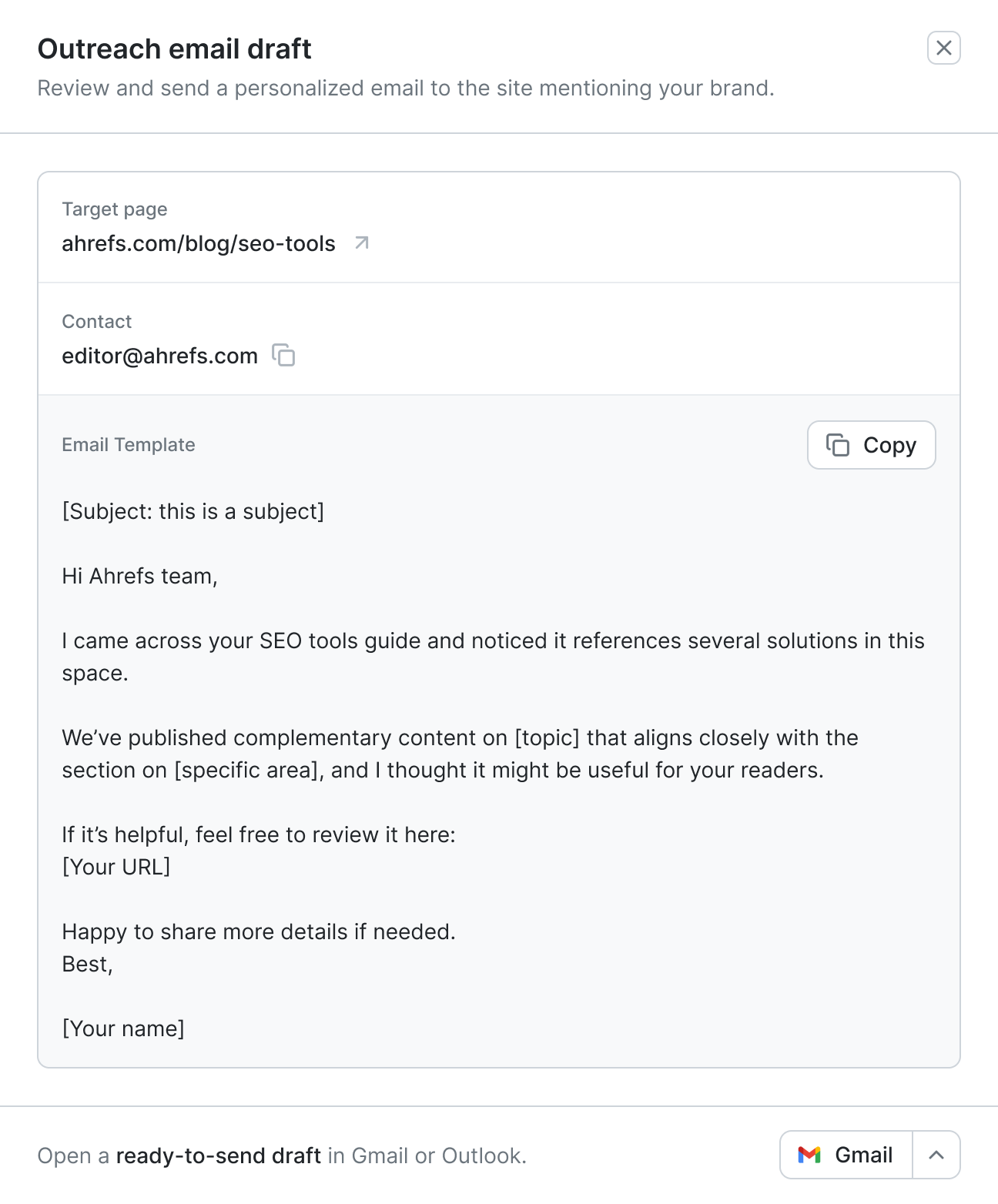
- 1Page cites a competitor
- 2Connect for mention
- 3Draft ready in Gmail or Outlook
- ✓Status: Contacted · Won
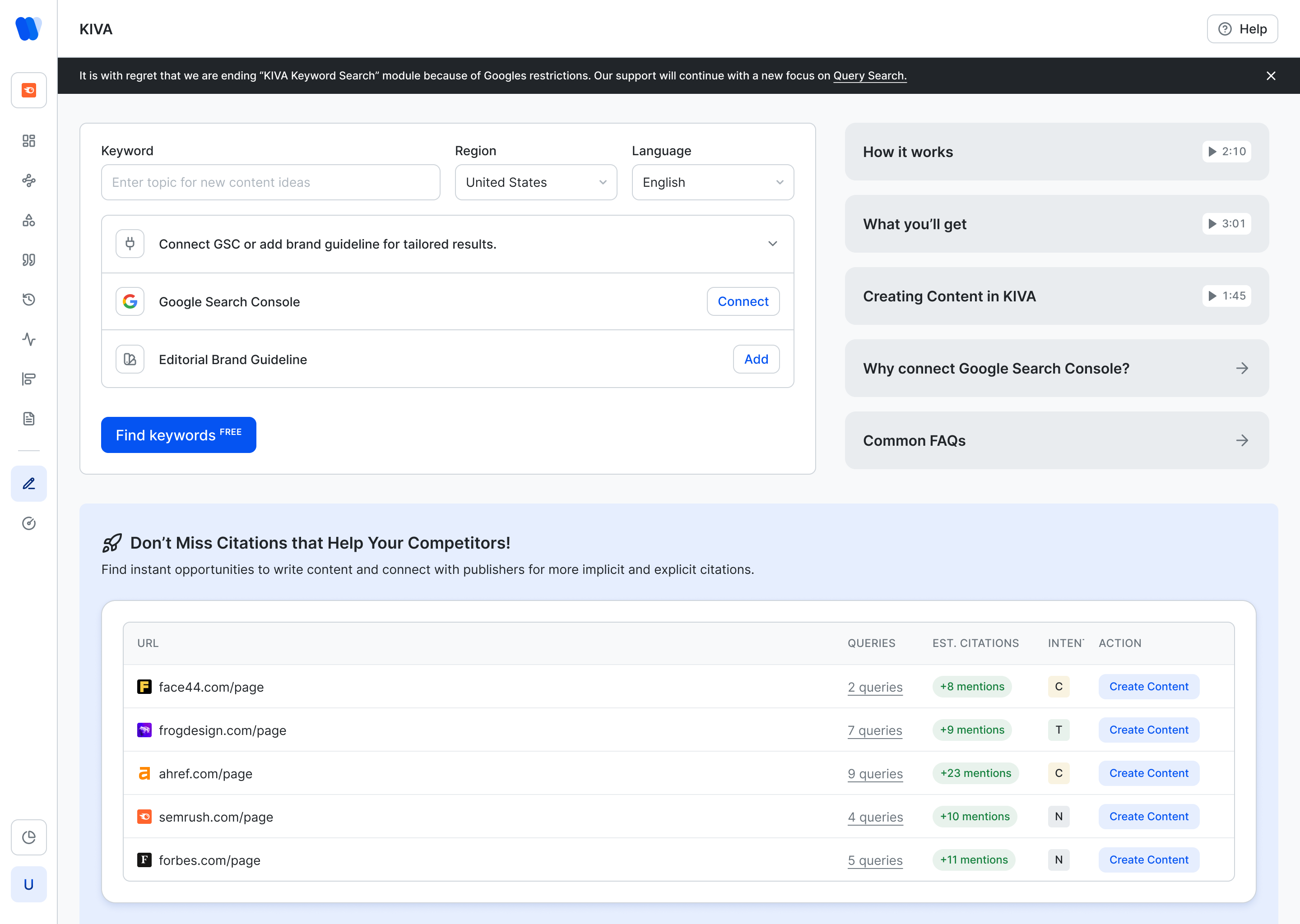
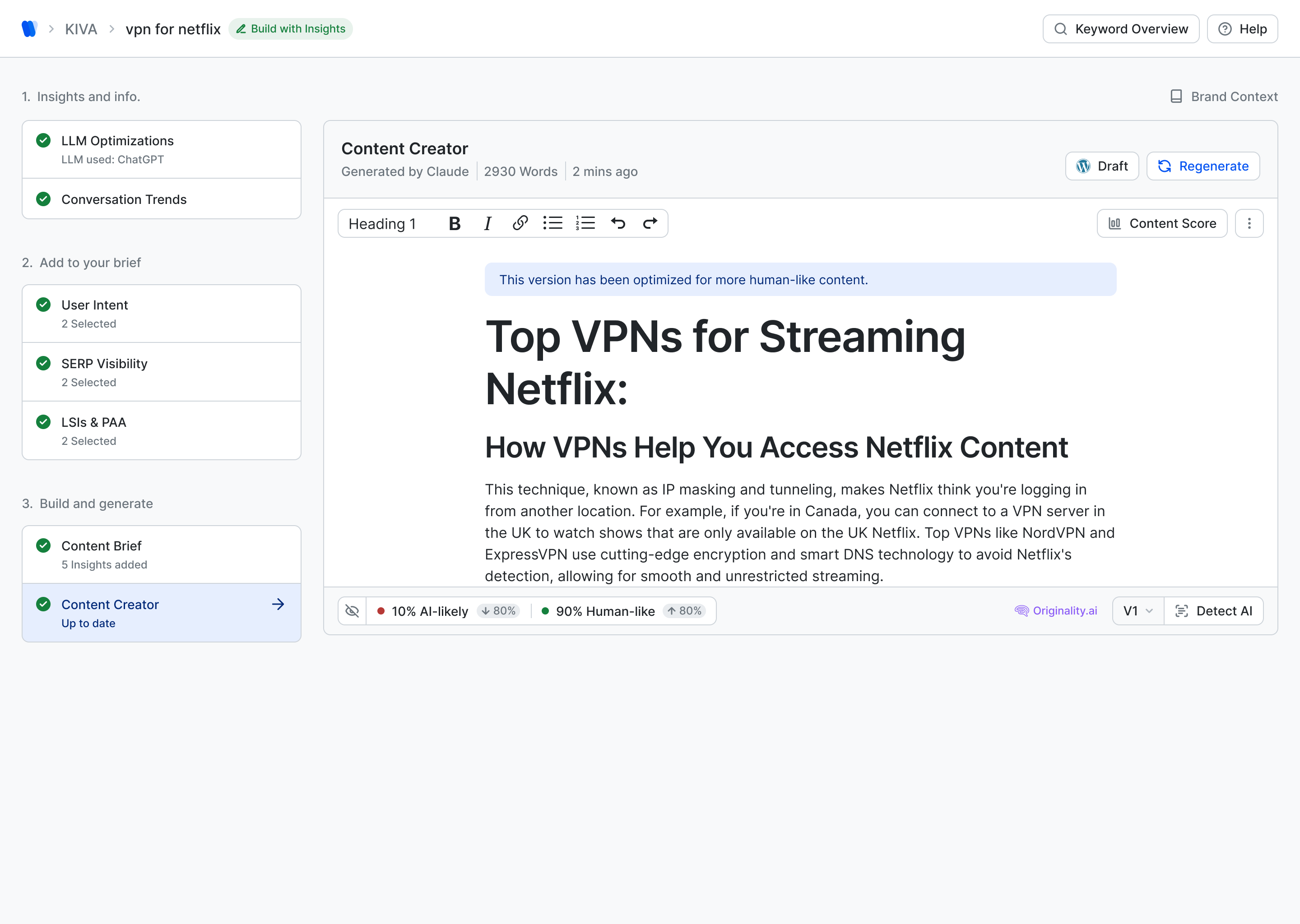
Insight-led writing, step by step.
LLM optimisations and conversation trends feed a brief; the brief becomes an editable outline; the outline becomes a draft — each stage visible in the left rail so nothing is a black box.
1Start with a keyword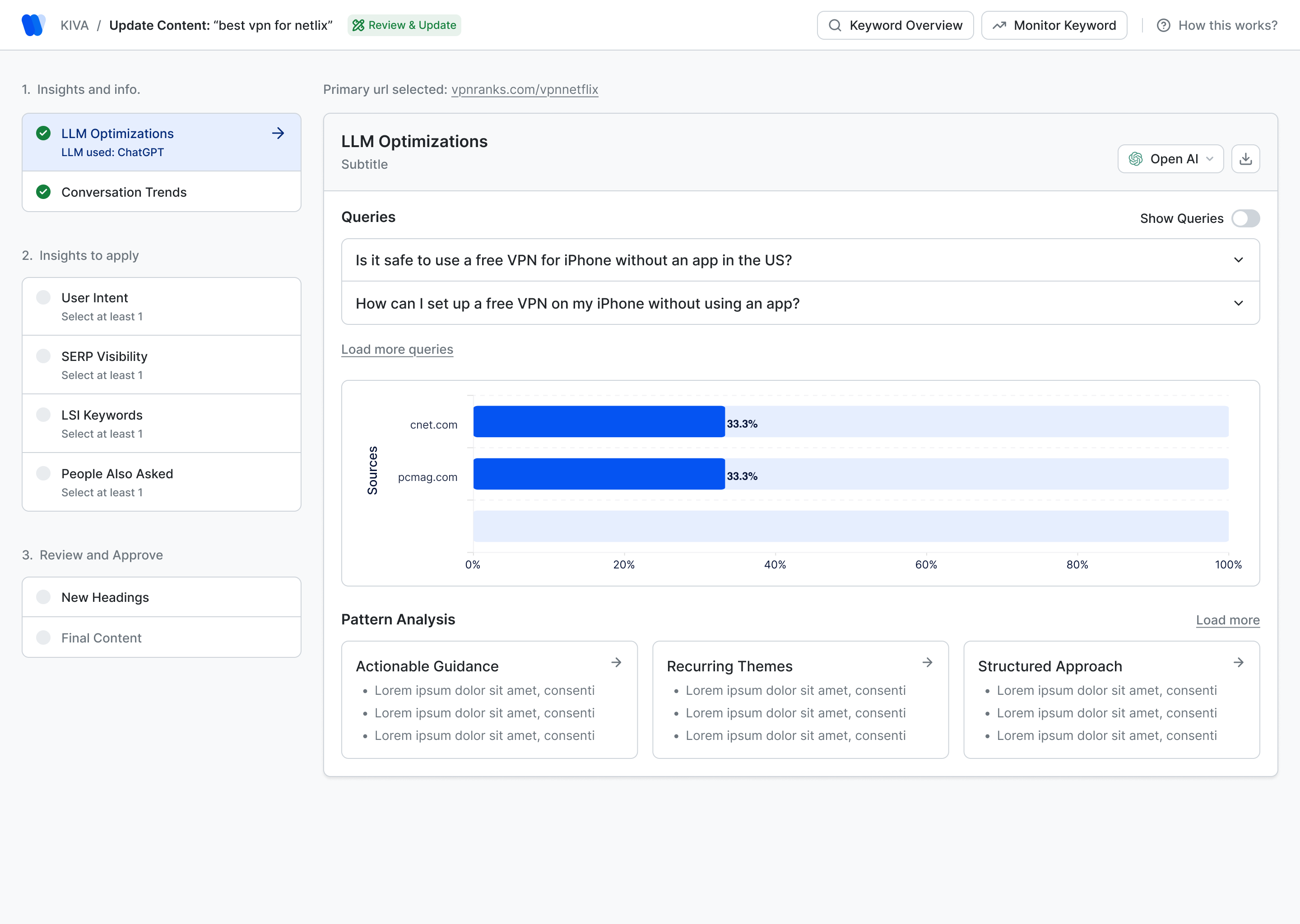 2Insights become the brief
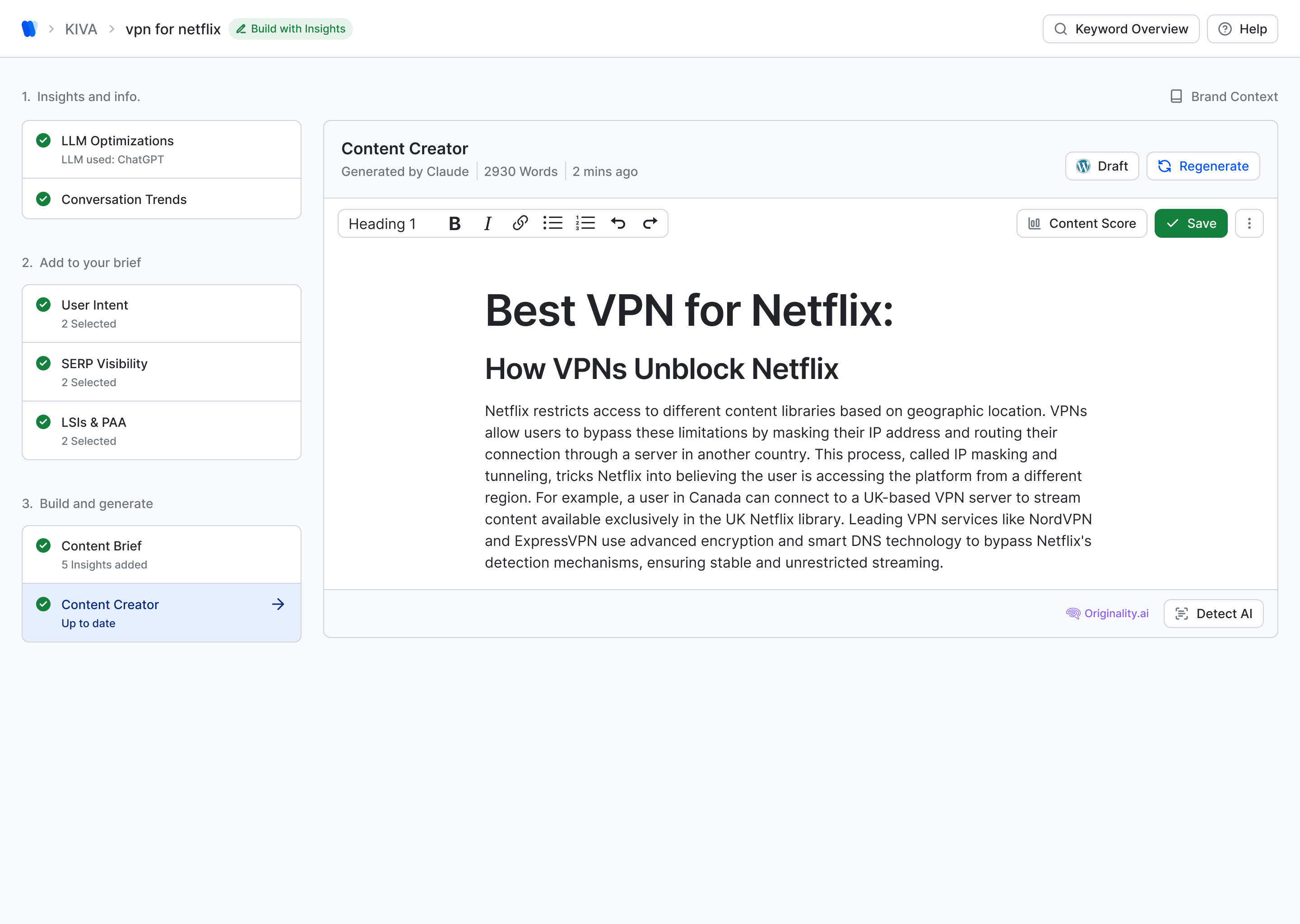 3Draft in the editor
- 1Keyword, region, languageOptionally connect Google Search Console or a brand guideline so drafts sound like the brand.
- 2Insights & infoQueries the LLMs already answer, conversation trends, user intent, SERP visibility and People Also Asked — selectable into the brief.
- 3Build and generateHeadings first, then the draft, with content score and AI-detection one click away.
Trust, but verify.
AI-likelihood detection with one-click humanising, side-by-side version compare, and internal-link suggestions — all before anything ships. The finding from stakeholder sessions was simple: people will use AI writing if they can see what it did.
In today’s rapidly evolving digital landscape, streaming enthusiasts are increasingly leveraging VPN technology to unlock a significantly wider array of content. A VPN, or Virtual Private Network, serves as an essential tool that can dramatically enhance your overall viewing experience by seamlessly routing your connection through servers located across the globe.
Not every VPN manages it. Netflix blocks the address ranges it recognises as data-centre traffic, so a provider that worked last month can stop working after a single update. The ones that keep up rotate their addresses and test against the app itself.
It is important to note that utilising a VPN may potentially impact your connection speeds due to the additional encryption overhead involved in the process.
Streaming in 4K needs roughly 15 Mbps held steady, so the useful test is not the advertised maximum but what you actually get on the server nearest the library you want.
Check the refund window before you commit. Most run 30 days — long enough to confirm the catalogue you care about loads instead of throwing a proxy error.
None of this holds still. Netflix and the providers keep adjusting to each other, so treat any recommendation as a snapshot and re-test when something stops working.
Netflix shows a different catalogue in every country. A VPN routes your connection through a server somewhere else, so the app sees that country’s library instead of yours — the same reason the show a friend in London recommended never turns up in your list.
Not every VPN manages it. Netflix blocks the address ranges it recognises as data-centre traffic, so a provider that worked last month can stop working after a single update. The ones that keep up rotate their addresses and test against the app itself.
Expect to lose some speed — encryption costs you something. On a 100 Mbps line a nearby server usually leaves enough headroom for 4K; a server three continents away rarely does.
Streaming in 4K needs roughly 15 Mbps held steady, so the useful test is not the advertised maximum but what you actually get on the server nearest the library you want.
Check the refund window before you commit. Most run 30 days — long enough to confirm the catalogue you care about loads instead of throwing a proxy error.
None of this holds still. Netflix and the providers keep adjusting to each other, so treat any recommendation as a snapshot and re-test when something stops working.
Android handles VPN connections at the system level, so once the profile is installed the Netflix app picks it up with no extra configuration.
Most providers ship a Play Store app that does the same job in two taps, though the free tiers are usually capped too tightly to stream anything.
If the connection drops on standby, turn off battery optimisation for the app — that one setting causes most of the mid-episode cut-outs people blame on the provider.
Android handles VPN connections at the system level, so once the profile is installed the Netflix app picks it up with no extra configuration.
Most providers ship a <a href="https://www.vpnranks.com/free-vpn/android/">Play Store app</a> that does the same job in two taps, though the free tiers are usually capped too tightly to stream anything.
If the connection drops on standby, turn off battery optimisation for the app — that one setting causes most of the mid-episode cut-outs people blame on the provider.
Proof of movement.
Compare any two dates, see which queries were won or lost, and export a client-ready PDF with the brand’s own logo — the agency deliverable, generated from the same data.
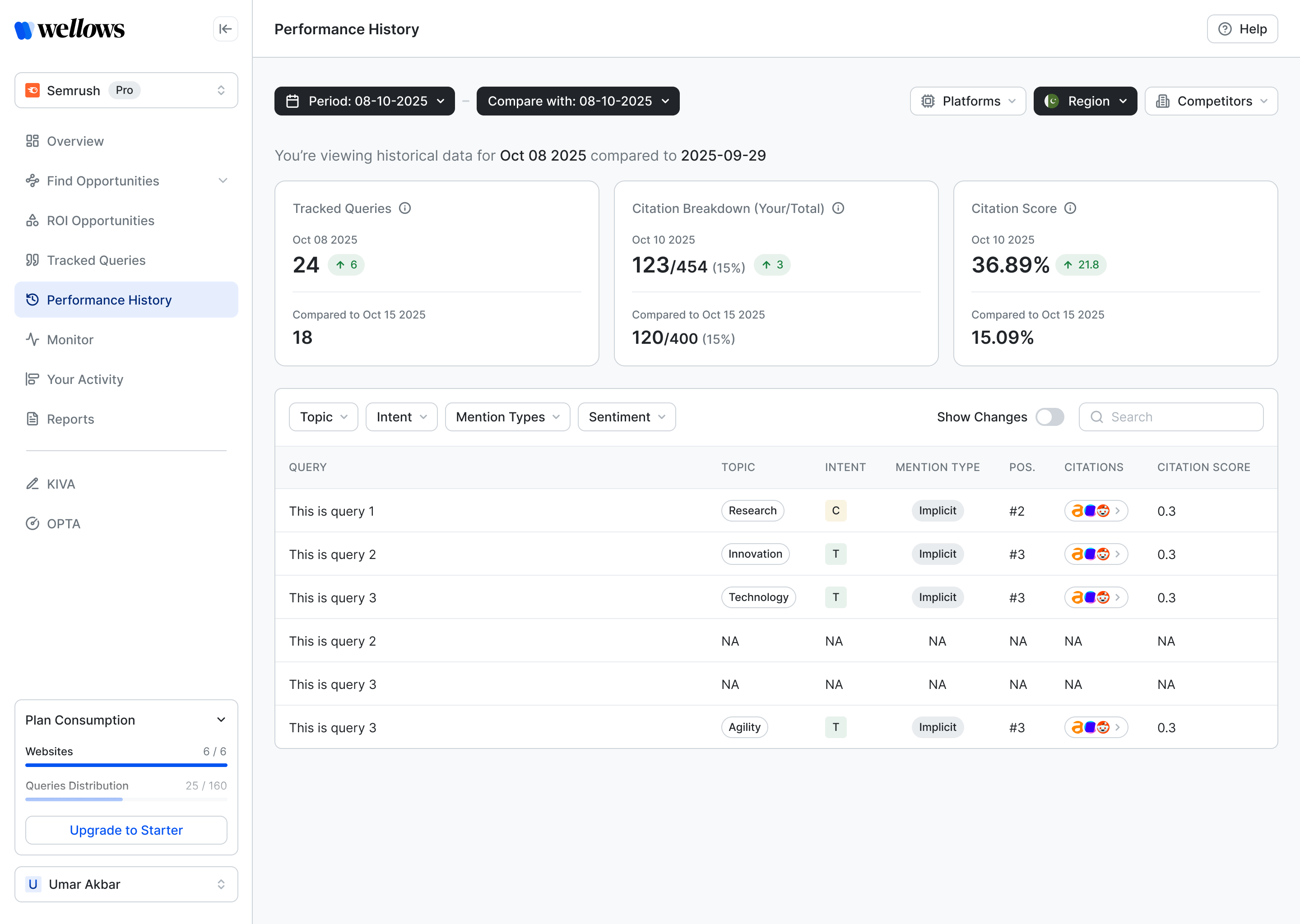
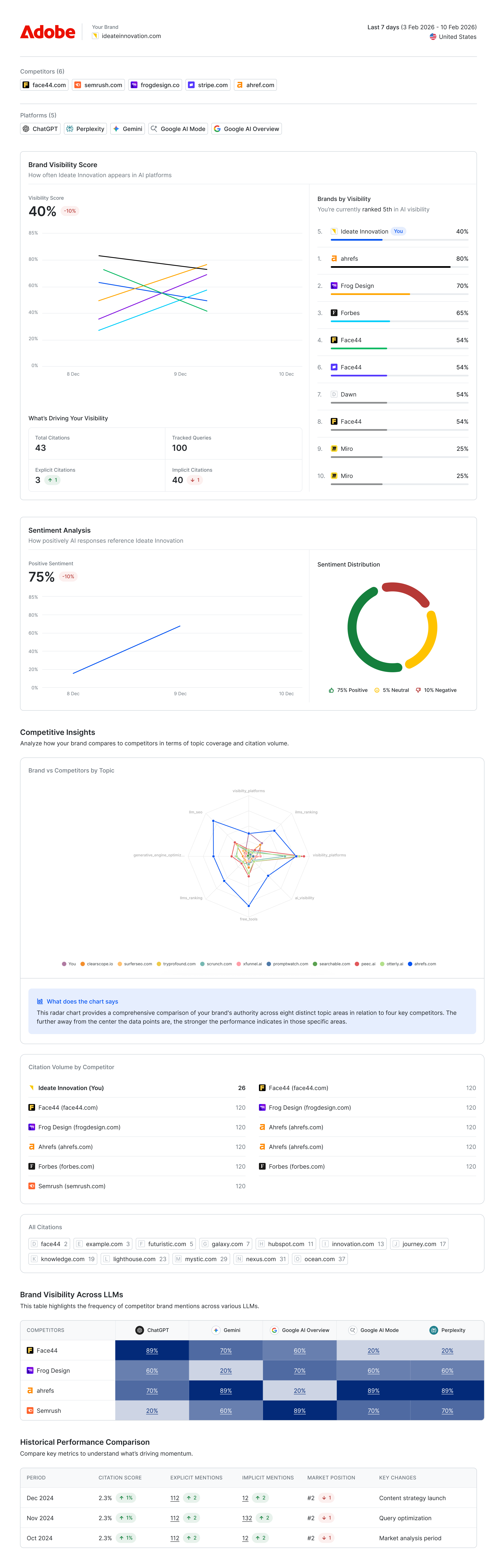 PDFWhite-label
Value in minutes, not forms.
Enter a domain, pick brand or agency, and Wellows finds competitors, brainstorms topics and queries, and asks which platforms to monitor — with a product tour waiting on the other side.
- 1Start tracking
One field: the website. Brand or agency decides the rest of the path.
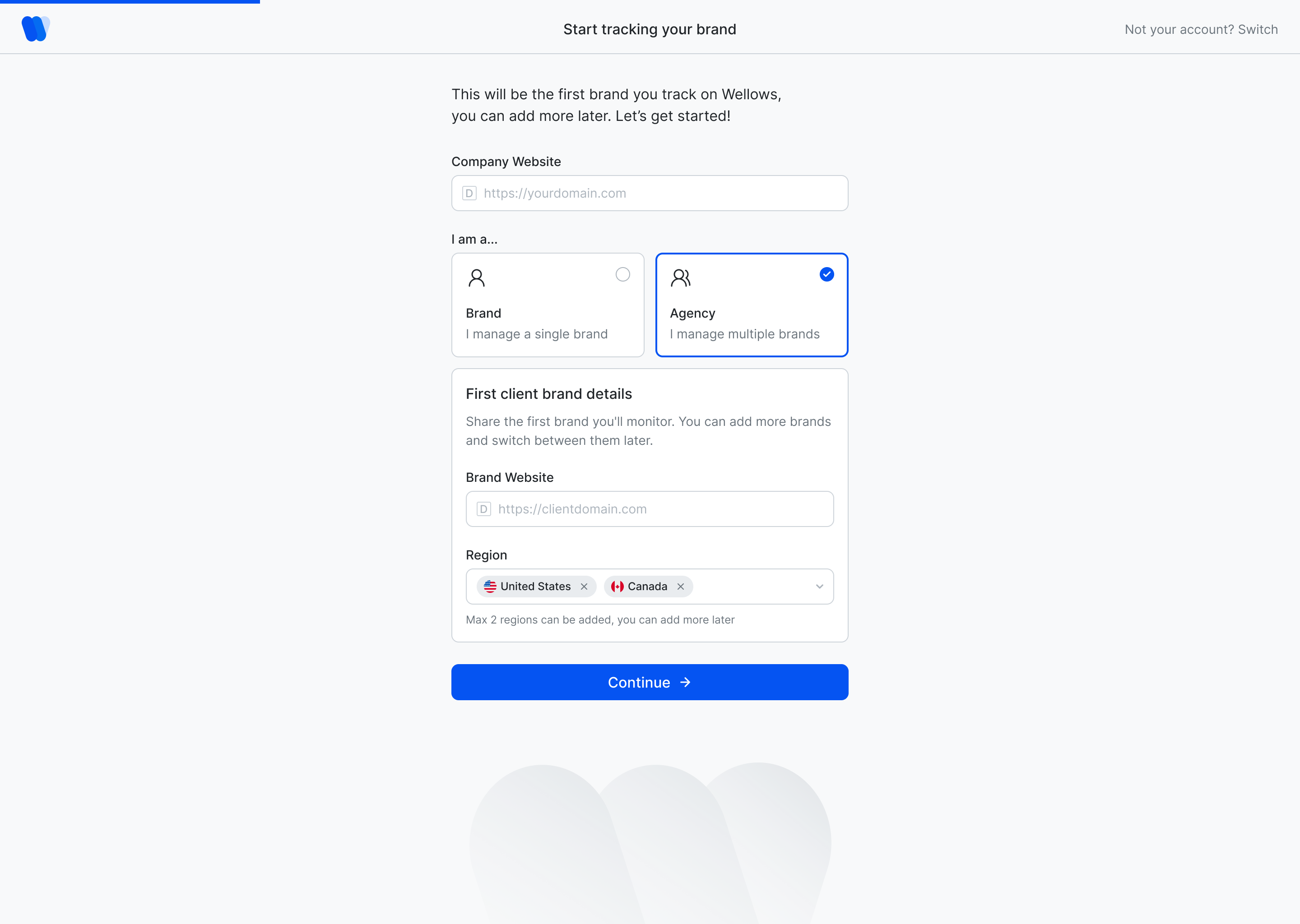
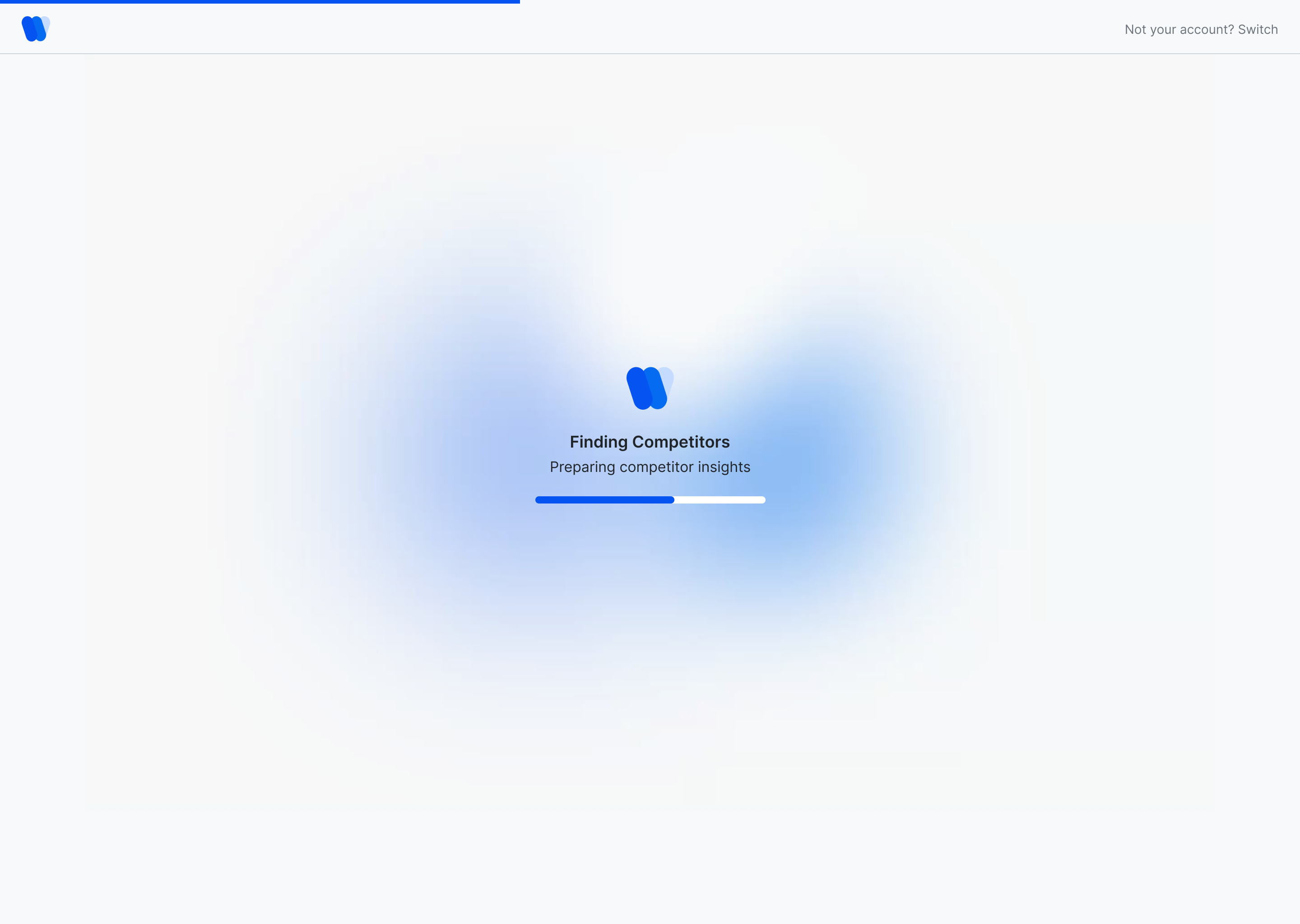
- 2Finding competitors
The brand glow — the mark as a loading state while Wellows reads the domain.
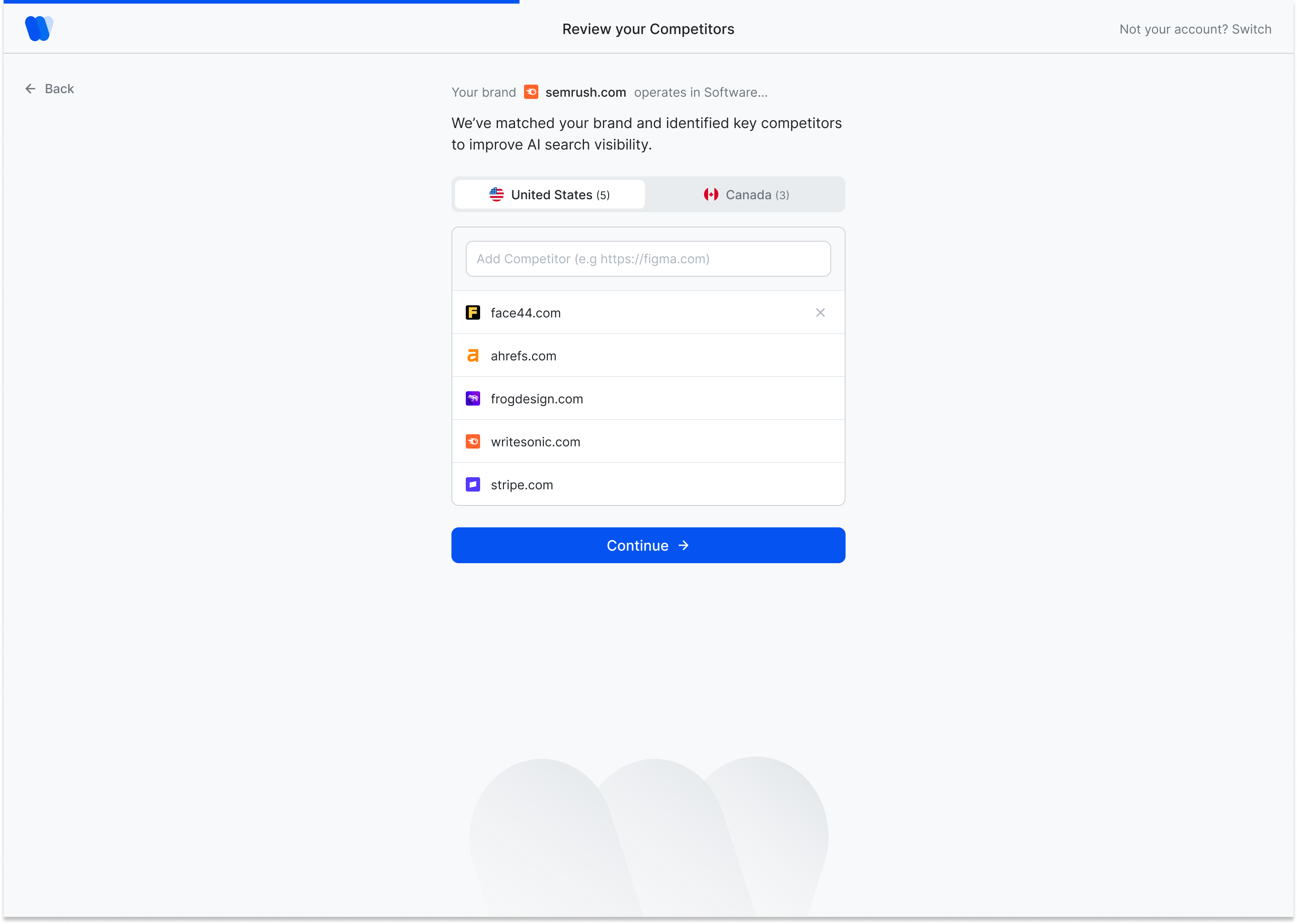
- 3Review, don’t type
Competitors, topics and queries arrive pre-filled; the user edits instead of inventing.
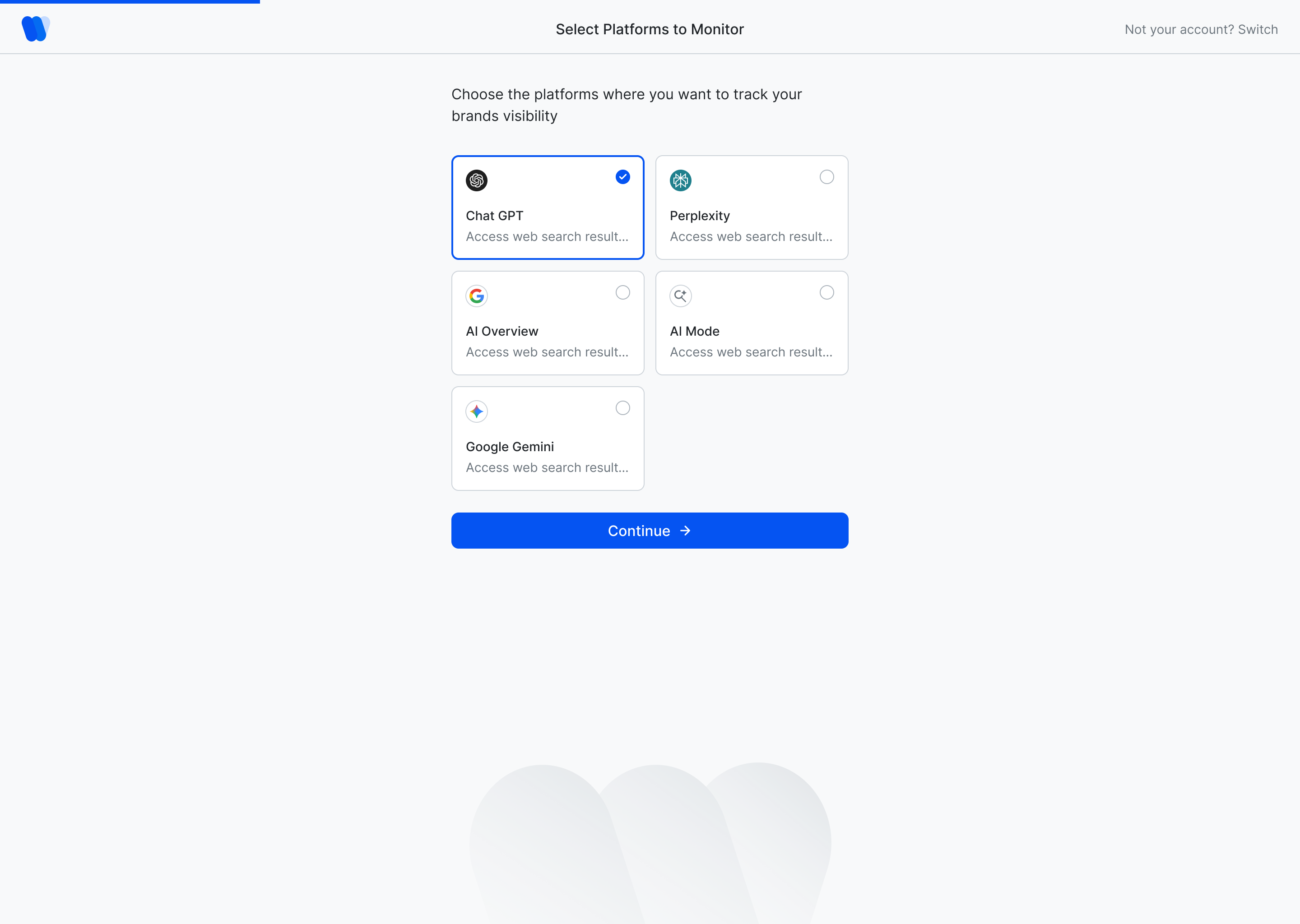
- 4Select platforms
Choose which models to monitor, then land on a first Overview with a tour.
One website, one set of competitors. Straight to the Overview after platforms.
First client brand now, more later. Projects, plan consumption and white-label reports follow from this choice.
What customers have reported with Wellows.
Three outcomes Wellows has published from customer accounts. They belong to the product and its team as a whole — I include them because they are the context the design was built for.
Results published by Wellows. They reflect the product as a whole, not any single design decision.
Three years on one product is a different kind of education.
Recommending the rebuild. Seeing that the conversational version wasn’t serving people, and making a case clear enough that the team agreed to spend the time.
The Slack room surfaced confusion I’d never have scripted a test for. Designing without that signal optimises for your own assumptions.
Tokens and components felt slow for months, then paid for themselves all at once. By year two every new module shipped faster because the floor already existed.
A lighter first-run for agencies managing many brands, and richer per-platform diagnostics for why a citation was lost.
Every metric should point at a next step. If a number can’t be acted on from where it sits, it doesn’t belong in the first fold.
End of case study